Fraud Blocker

Essential Tips to Talk to Customers on the Call

Essential Tips to Talk to Customers on the Call

The way of talking to customers has a big impact on the brand, and nothing consistently delivers customer satisfaction, like pleasant communication. When a company thinks about how they communicate information and receive feedback to their customers yields a better result.

World-class customer service begins with treating humans like humans. Follow the tips to know how to talk to the customers on phone calls to increase possible engagement and satisfaction. These tips can be used by call center agents and company representatives that use the call center solution to delight their clients.

How to Talk to Someone on the Phone

Here below are few tips following which company can avoid phone calls which are called “uncomfortable”. Read below to know how to talk to a customer over the phone in a way that allows them to make be comfortable.

Better Know When to Say Sorry

Nothing is more frustrating to customers when the company doesn’t admit their mistake. It happens very often and when it does, the best way to soften things is to make a personal apology. Make your conversation truer by making empathy for the situation explicit.  67% of customers with bad experiences leave the brand. So it’s important to make an apology before it’s too late.

Open Question and Relevance

When agents run campaigns using the best call center software to collect feedback, they must avoid asking questions that usually require an answer in one word, ask open questions when talking with your customers. Open questions allow customers to talk about themselves, giving you the opportunity to establish relationships with them and get to know them better. This type of question also provides an opportunity to be related to what the customer has shared. It is important to do this for a successful conversation.

Be Ready

A company may have already remembered the sales pitch, but they need to put more effort into preparing a phone call with a customer. The agents using a call center solution may have mugged up sales pitch or can see the script, generally, made available in the call center solution, but there has to be a strategy. Trying to know what the customer is going through or likewise is the most effective way to begin a conversation.

Express in a Better Way

When you talk with a customer on the phone, you can’t see his facial expressions or movements. There are no nonverbal cues an agent can use to interpret emotions, so the agent relies completely on the spoken words. Therefore, the call center should carefully select correct words in the script they set in the call center solution and clearly explain to the agents what they need to say.

Keep Things Short

Keeping the conversation short is more than an indication of the zone centered on a person’s time. It also reduces the chance of awkward differences in conversation.

Use a call center solution as its best possible. Want to get the best call center software? Contact us.

Loading

Top 3 Ways Auto Dialers Boost ROI in Call Centers

Top Ways Auto Dialers Boost ROI in Call Centers

The call center software comes with a wide array of features. The call center dialers are one of those top features that benefit call centers to leverage the full advantage of the agents and other resources. The dialers can be manual or auto. In the case of the manual dialer, the agents need to manually dial the number to connect with the lead.

On the other hand, auto dialers come with different functionalities and the most common in all is that the lead numbers are dialed automatically. The auto dialer dials the call and routes it to the agents based on the nature of the call center dialer. The use of auto dialers can increase ROI (Returns over Investment) significantly in the call centers.

Let’s explore the top 3 ways auto dialers increase ROI:

1. Increase talk time

The auto dialers in the call center solution focus on increasing the talk time and reducing the wait time of the agents. This ultimately increases agent productivity, which all call center targets to achieve.

The auto dialer such as predictive dialer makes sure to dial enough numbers to keep all agents busy all the time. This will help in making sure as soon as an ongoing call finishes, the next call is provided to the agent to attend.

2. Increase productive work

There are some call center dialers that filter all do not disturb numbers from the list and dial only those numbers which are more likely to get attended by the real customers or prospective customers.

Even once the call is answered, the call center dialers can check that the call is attended by the customer or a voicemail. Some auto dialers only route the call to the agent if it is answered by the customer. This helps in increasing productive work.

3. Take care of callback

The call center solutions come with an amazing range of features and an automated callback is one of them. It is difficult for an agent to call on the number at the given time as either he is busy taking calls or he may forget the same.

There are some call center software solutions such as DialShree: Call Center Solution that automatically dials the number on the predefined date and time as per the callback request. This increases the chances of conversion as well as customer satisfaction.

Auto dialers are designed to benefit call centers to increase productive work in the call centers. They maximize the potential of the agents and make sure they attend as many calls as possible. The auto dialers also remove the need for manual calling which saves a lot of time. These are the top ways to increase productivity, increase resource utilization, potential, save time, and reduce expenses.

If you are looking for a call center software with advanced automated dialers and other top features, please contact us.

Loading

What is Customer Journey Mapping and Why is it Important?

Elision| Journey Mapping

Making customers happy starts with understanding their point of view. Sometimes, while interacting with the brand, the service does not meet expectations. In this case, there is a need for customer journey mapping in a call center solution. To identify these moments, you need to create a customer journey map.

This map allows brands to visually understand the entire customer experience, anticipate problems that can occur at each stage, and ultimately actively find solutions. There are four reasons why a brand should create a customer journey map.

Reasons Why Customer Journey Mapping is Important

Understand Better How Customers Feel

By mapping the customer experience, you can anticipate why customers choose each channel and how they feel at each touchpoint. For example, what can customers expect from your interactions who contact you for services via social media? What is the typical response time of the brand in this situation?

You can use maps to predict customer needs at each step and consider all possible outcomes when interacting with customers. You can also refer to customer feedback and data as available in the reports of the call center software to apply what you have already learned about your actual experience.

Identify Service Gaps

The customer journey map allows brands to identify potential service gaps. What can happen if a customer switches from one channel to another? Can the customer’s data be available to the next agent who handles the case? Or the customer has to repeat the information?

You can use this map even in a call center solution to determine how smoothly you can move information and customer mood. There may be problems like insufficient IVR menus, poor communication between agents, or a difficult payment process. All these can be resolved with intelligent call center software and a well-defined customer map.

Offer a Great Customer Experience as an Organization

By identifying service-related issues, the call centers can make overall improvements to address them. Both the customer service team and the sales team can receive additional training and mentoring and can be invited to share their feedback.

It is also important to define clear goals for the entire company and for each department. The better your employees understand what they are trying to do, the more successful everyone in your organization will be. The call center software can help in achieving this.

Promote Brand Growth

Ultimately, a customer journey map can be used in a call center solution to drive brand success. Recognizing before a problem arises; you can avoid the cost of losing customers who can give up your brand. At the same time, an easier experience will attract both new and current customers.

As pointed out by the Aberdeen Group, the financial benefits of mapping are 18 times faster on average sales cycles, 56% more revenue from cross-selling and up-selling, and 3.5 times more from customer referrals.

All brands that claim to accept a customer-centric attitude must be carefully mapped in a solution similar to call center solution. By looking at the company through the eyes of your customers and striving to exceed expectations with a complete experience, you can achieve great success in the long run.

Looking for a reliable call center solution? Contact us.

Loading

Key Benefits of Auto Dialer Software for Call Center

Key Benefits of Auto Dialer Software for Call Center

Auto Dialer or the automatic dialer transformed call center tasks in a short time. As the name suggests, an Auto Dialer is an outbound calling system that allows you to dial automatically from a list of phone numbers.

While using the automatic dialer, users can choose from various types of automatic dialing techniques (predictive dialing, preview dialing, and power dialing) depending on their exact communication needs. However, it is important for both home users and enterprise users to understand some of the key benefits of auto-dialers which make Auto Dialer a perfect tool in the call center solution.

1. Improve Call Center Operations

Auto Dialer is an important part of the call center software that helps companies improve their call center operations. Many call centers use automatic dialer software to overcome the major shortcomings of manual dialing (hanging up, misdirecting, and additional latency).

2. Increase Agent Talk Time

The call center improves agent productivity and efficiency by switching from manual dialing to automatic dialing. In addition to automatically dialing phone numbers, only human-connected calls are routed to agents, resulting in increased productivity.

3. Reduce Agent Idle Time

The automatic dialing feature not only maximizes agent utilization, but also allows administrators to significantly reduce agent idle time. Agents can spend more time interacting with customers and driving sales without wasting time handling disconnected calls, unanswered calls, and busy calls. That’s why Auto Dialer is considered as a crucial feature in the call center solution.

4. Detect and Separate Unproductive Numbers

Sophisticated automatic dialing solutions are designed with features that detect unproductive numbers such as Do Not Disturb (DND) and fax lines. Businesses can seamlessly integrate cloud-based autodialers with customer relationship management (CRM) systems.

5. Generate More Leads

Companies can generate more leads by using automatic dialing as a powerful tool. When the software reduces agent talk time, telemarketers can more easily interact with more customers and meaningful prospects. Sophisticated auto dialers offer self-service options to facilitate the collection of customer information with call center solutions.

6. Increase Lead Conversions

In addition to generating more leads, auto dialers also help marketers increase lead conversion rates. The new dialer of the new era has features to facilitate time zone management. This feature allows marketers to set and adjust time zones for each marketing campaign.

7. Facilitate Real-Time Performance Monitoring

The latest auto dialer solution offers a user-friendly interface. The interface helps the administrator to generate various reports based on real time data. Administrators can regularly check real-time reports to monitor call center activity and measure agent productivity.

8. Start Press 1 Campaign

Self-service options offered by auto dialers allow customers to collect information about their products or services without interacting with live agents. This option gives call center solution by helping the company in generating qualified leads by allowing the customer to interact with the live agent after playing the recorded audio file.

9. Manage Multiple Marketing Campaigns

Companies can use auto dialing solutions to conduct market research and promote their products/services. Sophisticated auto dialers also have the ability for companies to run and monitor multiple marketing campaigns making auto-dialer a perfect feature in the call center solution.

Conclusion

Individual and corporate users can use the auto dialer for a variety of purposes. However, it is always important for the user to choose the right autodial dialer. Users need to compare auto dialers based on their exact communication needs to take full advantage of outbound calling systems.

Looking for a call center solution with auto dialers? Contact us.

Loading

How CRM System Empowers Call Centers?

CRM System Empowers Call Centers

Call center is a gigantic industry. That’s why many tools are invented specifically to benefit this industry with the power of advanced technologies. The call center solution is the most used software in the call centers. In fact, some call centers use only this solution in their organization and nothing else.

Definitely, the call center dialer software which is loaded with a wide array of features is the best solution and must be in the kitty of the call centers, but there are some more solutions that can be used in the call center industry to increase efficiency and efficacy.

The CRM (Customer Relationship Management) solution is one of as such solutions. It can be used in multiple ways to increase the benefits of the call center. Let’s explore the top 2 benefits of using the CRM solution in your business.

1. It helps to store more detailed information about the customer

The call center software solutions usually have some fields that let agents store information about the customer. However, it cannot store the complete detailed information about the client as well as it cannot help in keeping the trail of different activities or customer related information.

For example, if a call center runs campaigns related to the collection, then it is necessary to check the information of the payment history, generally available in collection call center software. The CRM software can be used to store all these and much more information about the customer along with its interaction history to help agents use their pitch accordingly.

2. It helps to provide personalized answers

Knowing your customers can help you improve the relationship with them. This applies to all industries and call center industry is not an exception here. The call centers can use the CRM solution to achieve this. The CRM system can be used to help agents building a strong bond with the customers.

They can use the information stored about the customer in the CRM system during the live call to provide personalized answers or to personalize the offer to persuade the prospective customer. The call center CRM integration can further help in achieving this with the CRM popup within the call center dialer solution. It means the agents can see complete information about the customer within the call center software without any extra steps. This also increases agent performance.

These are the top two benefits of using the CRM solution. One can leverage many more benefits by using this system.

We have more than 12 years of experience in catering to the call center industries with the best in the industry solutions. Contact us to know more about our solutions.

Loading

Tips to Use Voice Logger Solution in Call Center Software

Tips to Use Voice Logger Solution in Call Center Software

Call center solution comes with a wide range of features. These features make it perfect to run all different types of call center campaigns. One of the most important features of the call center dialer solution is the Voice logger aka call recording.

Some call center software solutions offer limited functionality as part of call recording and some call center solutions such as DialShree offers a wider array of features to increase its benefits. You must get the dialer with advanced call routing rules.

The advanced voice logger solution offers an amazing range of features such as

  • Record all calls
  • Record selected calls
  • Play call recording within the call center software
  • Download call recording files
  • Give access to agents to listen to their call recording
  • Spot a specific word in the call recordings
  • Reports of the call recordings
  • Search call recording by date
  • Search call recording by types
  • And more

These advanced voice logger features can be used in favor of the call center in multiple ways. Let me share the top 3 tips on using this feature effectively.

1. Make sure to have an advanced voice logger feature

Generally, a majority of call center software providers offer a simple call recording feature in their system. The only thing it allows you to do is to decide whether you want to record all calls or not. This feature is not as effective as it should be. Thus, use the advanced voice logger system integrated within the call center dialer. Either by the software which has it or you can also get it developed.

2. Give access to the recording to agents

Generally, the call recording files are available to supervisors and admin in the call center industry. However, it is necessary to give access to call recordings to the agents for the sake of self learning. You do not need to give them access to all files of all agents. Just give them access to their own calls.

They can listen to their own calls and this can help them find their own faults and improvising the same. Of course, for security purposes, you can make sure that the agents can only listen and cannot download or delete the files.

3. Take certain actions based on the call recordings for quality

The supervisors and admin have access to the recorded files in the call center solution, but they often do not screen them for quality purposes. If you will not use the caliber of the functionalities available in your call center dialer, then how will you reach the maximized ROI level? Supervisors must allocate some time to listen to the call recordings and identify common issues and take necessary actions accordingly.

Our contact center software: DialShree is furnished with the advanced voice logger solution. We also offer a voice logger as an independent solution. If you want to integrate the advanced call recording system in your company or call center software, contact us.

Loading

API Integration in Collection Module Doubles Its Power

API Integration in Collection Module Doubles Its Power

The call center industry is really big. All different industry verticals run call center campaigns to assure all operations are running perfectly. To run these operations, call centers use call center solutions. Generally, this solution comes with features that automate many operations in the business. Still, there are some business specific operations that need to be taken care of manually.

This wastes a considerable amount of time of the agents and supervisors. The best solution is to get a customized call center software solution. Getting it developed can be an expensive affair. However, there are some top companies like us that introduce some modules to automate some common features and functions. Our collection module is one of the modules developed by us to benefit one of the biggest sectors in the call center industry, namely, collection.

The collection module is available for our call center solution, DialShree, VICIDial and also for proprietary call center software systems. It automates certain operations related to collection companies such as grouping contacts, filtering the people that have already paid EMIs, etc.

The collection module itself is a powerful feature that increases the functional capabilities of the call center software. The call center collection module integration creates a whole solution for the collection companies. To increase its functional capabilities and to provide collection companies a personalized solution, we offer API integration in this module.

We can integrate any API in the collection module to further personalize this system. This will help you leverage many benefits. Let’s understand this with an example. If you are running a collection company, you might be using a CRM solution along with the call center software. The CRM system is used to store information of the customer and his payment history.

The call center CRM integration of your CRM solution with the collection module integrated call center software will make it a more powerful solution. Now, whenever an agent is on the live call, he can see the complete record of the customer within the call center software during the live call. He can also review his payment history to personalize his conversion with the customer.

We can integrate any API with the collection module integrated call center solution so your agents can use features of multiple solutions within the call center software window. Furthermore, we can make provision in a way that if the agent makes any changes in the customer record during or after the live call, it will be reflected in both, call center software and CRM solution.

There are many benefits of integrating the collection module in the call center solution along with API integration. Contact us to get a free demo and other details about this powerful solution made available for collection companies.

Loading

How Payment Utility Benefits Collection Companies?

Payment Utility Benefits Collection Companies

Collection companies use call center software to run their campaigns in which they call customers to pay their EMI for an ongoing month as well as any of the pending EMIs from the past months if there are any.

The agents keep on going through contacts and using a call center predictive dialer or any other dialer of the call center solution to keep on calling customers until they make a payment. Generally, when the agent talks with the customer, the customer may give a promise to pay, also known as PTP, on a specific date or request to call back later at a specific time.

Some advanced call center solutions generate a callback as per the scheduled time and in other cases, the agent has to manually generate the call. Also, at the end of the call, the agent needs to write disposition message that gives a hint of the conversation done with the customer.

This is indeed a tedious process and it doesn’t stop here. Sometimes, it happens that the agent calls the customer who has already paid an EMI. In this case, either the customer gets frustrated or finds this behavior irritating.

This increases customer dissatisfaction. On the other hand, the call center dialer, other resources and time of the agent are completely wasted on this type of call where EMI is already cleared. Generally, with the traditional call center solution, the agents or supervisors manually update the contact list.

They manually screen the numbers and remove the numbers for the customers that have cleared payment. Then, they upload this updated list and again use the call center predictive dialer, or any other dialer to run the campaign of collection.

The traditional call center software doesn’t have personalization to help collection companies. But, DialShree has!

DialShree has developed a payment utility function and collection module which can be integrated into the DialShree or VICIDial.

How does payment utility resolve all above mentioned concerns?

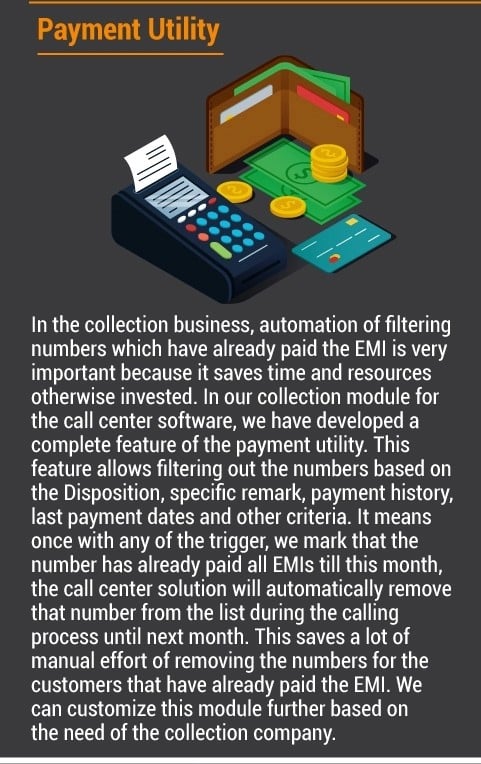
The payment utility of the collection module has provisioning of triggers which can be a disposition such as EMI paid or payment date or payment history or a customer trigger. Whenever a trigger specifies that the EMI is already paid by the customer, the call center software itself filters that number. It saves a lot of time and also possible errors of calling customers that have cleared their EMIs.

The payment utility can also be customized to meet the specific need and the business model of the collection company by our experts.

The payment utility is just one out of the many features available in the collection module developed to be integrated into the call center software solutions for collection companies.

You can read guide on the collection module for call center solutions

If you are looking for more details or want to buy this module, contact us.

Loading

How Call Center Dialer is Useful in Call Centers?

There are many benefits of call center dialers and today managers vouch for the advantages of predictive technology to give an edge in customer service, satisfaction, customer management, customer retention, and customer profitability.

Elision DialShree Predictive Dialer is a software-based Dialer which assists organizations in doing away with expensive telephony boards and other related hardware which come with increased maintenance costs. DialShree Predictive Dialer is extremely easy to use and is a huge advantage in areas like telemarketing, payment collection, service follow-ups, surveys, and appointment confirmation.

Some of the benefits of call center dialers are:

Enhanced productivity:

The call center dialer is highly advantageous as it is capable of increasing the effective time agents of agents by almost three times and enables connection with live prospects. It is possible to have real conversations which can positively impact revenue.

Improved talk time:

The benefits of automated dialing are far reaching as it can spot and filter no-answers, voice mail, disconnected lines, busy signals, and fax machines and helps agents reduce dead time while improving talk time. It is proven with enough analysis that there is almost a 300% improvement in talk time in automated dialing vis-a-vis manual dialing. Analysis has shown that – in an hour automated dialing can enable 48 minutes of talk time versus 15 minutes of talk time with manual dialing.

Enhanced benefits with Predictive Dialer:

The Elision DialShree Predictive Dialer can really assist organizations in optimizing call center performance. It comes in with a built in dropped calls setting making it easier for administrators to track performance. This helps in improving performance and reducing rate of dropped calls.

This feature improves customer satisfaction which in turn can give a thrust to sales and revenue. Overall, a complete benefit to the organization! Boosts contact ratios and improves opportunities. The call center dialer is an excellent shot in the arm for the sales team as it is a good way to establish contact with leads and boost contact ratios.

When agents understand the benefits of the automated dialing capabilities of the call center dialer, the agents are in a better position to contact prospects, tap opportunities and improve sales numbers.

Progressive Dialer:

The Progressive Dialer only begins dialing at a time. This enables some form of control as calls are made only after the availability of agents and is a boost to drive B2B operations.

Limitless benefits:

The Elision DialShree Predictive Dialer takes very little time to be installed and working and this translates into lowered IT maintenance costs and flexibility to balance the extent of service provided.

Want to know more? Contact us for more details.

Loading

VICIDial vTiger Integration Guide

VICIDial vTiger Integration Guide

Whether we talk about call centers or we talk about non-profit or profit organizations, all can use call center solution and CRM system to gain some amazing benefits. For various reasons, the VICIDial has been one of the most popular call center software.

On the other hand, the vTiger is one of the widely used CRM systems. There are many companies that use both of these solutions and switch back and forth to access different features of these two most powerful solutions involved in lead generation, support and customer care tasks.

What is VICIDial vTiger Integration?

As mentioned earlier, both of these solutions are commonly used in many call centers and companies. The vTiger is perfect for lead and customer management operations and VICIDial is perfect to take care of calling operations. The fact to be noted here is that both of these solutions are used as independent solutions.

The agents and executives switch back and forth between these two solutions. It wastes a lot of time and productive resources. The VICIDial vTiger integration is the solution to these concerns.

The VoIP companies integrate both of these solutions, namely, VICIDial: call center software and vTiger: CRM solution. The integration lets work both of these solutions in a streamlined manner. There can be two different types of provisioning to integrate these systems as briefed below:

Access VICIDial in vTiger

Some companies run a lot of calling campaigns such as call centers. In this case, accessing CRM features within the call center solution is more beneficial. Thus, the VoIP experts of the company will make VICIDial vTiger integration in a way that the lead data stored in the vTiger: CRM system can be accessed within the VICIDial: Call Center Software. It means an agent can view the lead popup fetched from the CRM. He or she can also make changes in the lead record which will be reflected within the CRM solution as well.

Access vTiger in VICIDial

The organizations often not run calling campaigns in a heavy manner. They occasionally use VICIDial to run calling campaigns. This type of organizations uses vTiger more during the operations. Thus, to help them the VoIP experts perform VICIDial vTiger integration in a manner that the call center dialer features of the VICIDial: Call Center Solution can be accessed within the vTiger: CRM solution.

It means a sales rep or business development executive can make a call within the CRM system by clicking on the lead. Once the call is connected, he will see the VICIDial dialer in the CRM screen. The executive can put the call on hold and then pick it back. They can also transfer or forward an ongoing call.

These are the top two approaches available for VICIDial vTiger integration and one can choose based on the business model and tool use.

This integration removes many roadblocks and results in increased productivity, efficiency, customer delight and returns. We offer VICIDial vTiger integration services with personalization. Contact us for more details.

Loading

Contact Us

Our experts can resolve your customer engagement issues

Book a free consultation with our expert and see why more than 25000 users across 50 countries trust Elision for their communication needs.
Contact Us