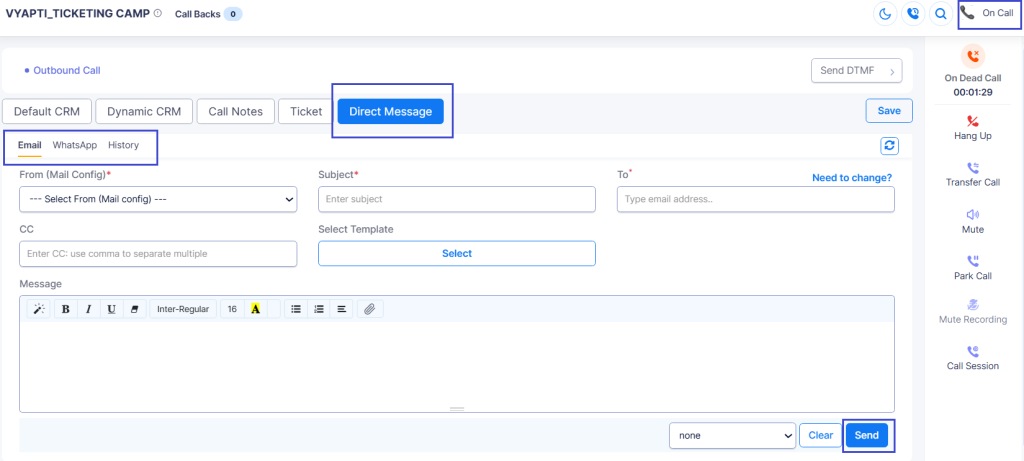
Elision DialShree has been named Best AI-Powered Collections Platform for NBFCs at the NBFC & Fintech Summit and Awards 2026. It’s a nice moment to stop and say out loud what usually only shows up in release notes: this module wasn’t designed on a whiteboard in one sitting. It was built brick by brick, mostly at the request of NBFCs who told us exactly where the old way of collecting was breaking down.
Elision DialShree Named Best AI-Powered Collections Platform for NBFCs
The award was presented to Elision Technologies Private Limited, recognizing the Collection Module inside DialShree — the piece of the platform built specifically to help NBFCs recover EMIs at scale without losing the compliance discipline that regulators, and honestly good practice, demand.
>
A Collection Module Built Brick by Brick, Not Designed in a Vacuum
Most collections software gets pitched around a feature list. Ours is easier to explain as a story, because that’s genuinely how it grew. Our deployments with NBFCs — didn’t just prove the product worked. It told us what to build next.
How Dvara KGFS Put AI to Work Across Five Languages — and Without Hiring a New Agent
Dvara KGFS serves rural households across India — borrowers spread across multiple geographies, speaking five different languages, at every stage of the loan journey. Managing loan qualification and EMI collection at that volume manually wasn’t just slow. It was a structural ceiling on how fast the business could grow.
What we built for them became a core brick in the module: Hindi, English, Kannada, Telugu, and Malayalam running simultaneously, with zero routing delay and no transfer between agents or bots — the language is detected straight from the borrower’s profile the moment the call connects.
That deployment now handles roughly 1 lakh borrower conversations a month, with the AI voicebot contributing 45% of total calling volume, freeing human agents for the complex, judgment-call cases that actually need a person. Automated, validated data capture (occupation, income, overdue history) replaced manually-entered fields that used to vary by agent, and collection conversions improved by 11% as a direct result/PTP Confirmation. More than 6,700 Promise-to-Pay commitments have been logged automatically, without a single new agent hired to manage the volume.
Put together, those two deployments — plus a long list of smaller feedback loops from other clients — are what the Collection Module actually looks like now:
No borrower gets a script that doesn’t fit them — a Human Line Voicebot leads every call sounding like a trained collections agent, not an IVR menu, switching language in real time based on how the borrower is actually speaking rather than a language picked before the call even dialled.
Nobody has to repeat themselves across channels — Voice, WhatsApp Business, and Email aren’t three separate silos here; they’re one contextual conversation. If a payment link went out over WhatsApp and sat unclicked, the next voice call already knows that and opens accordingly, instead of starting the pitch from zero.
A blocked number doesn’t take an account off the list — Number Shuffling rotates the outbound caller ID and automatically attempts alternate numbers on file the moment connectivity drops on one, so a single screened call doesn’t stall an entire campaign for that borrower.
Every account gets followed up on its own terms — disposition-based follow-ups mean a “promise to pay” account and a “no response” account are never handled the same way twice; the next action — a reminder, a renegotiation call, an escalation — is routed automatically based on what actually happened on the last attempt.
Field agents never start a visit blind — when an account’s disposition calls for a doorstep visit, the Collection Module doesn’t wait for someone to notice and hand it off manually. It sends the intimation straight to the FOS (feet-on-street) team, so field agents arrive already knowing the account’s latest status instead of re-asking questions the call centre already answered.
AI Voice Analysis, tuned by risk — not a spot check — Most collections floors QA a manually-sampled slice of calls, maybe 5–10%, and hope the rest went fine. That’s a blind spot on the calls that matter most. The moment a human agent picks up with a debtor, DialShree’s AI Voice Analysis engine is already listening — scoring tone, script adherence, and compliance flags on 100% of human-agent calls, not a sample. Layer in Smart Bucketing and the review gets sharper still: every call inherits the borrower’s risk bucket — 0–30, 30–60, 60–90, or 90+ DPD — so a tense 90+ DPD escalation surfaces to a supervisor within minutes, while a routine 0–30 DPD reminder doesn’t sit in the same review queue. Supervisors stop hunting through call logs for the one that went wrong. The system already knows which one to show them.
Nothing falls through a gap between systems — bidirectional CRM sync writes confirmations, objections, PTP dates, and transcripts back automatically, with no manual data entry step to introduce errors.
Built on a Compliant Foundation
None of the above works without the infrastructure underneath it. Elision holds a VNO (Virtual Network Operator) license from the Department of Telecommunications, which is what lets DialShree run collections calling on properly licensed, auditable telecom infrastructure rather than routing through third-party gateways. On top of that sits 1600-series compliance — the TRAI-mandated number series for BFSI transactional communications — enforced at the system level on every collections campaign, not left to agent discipline. Today, that combination is part of why the platform is trusted by 1,200+ BFSI clients across India.
Looking Ahead
Every brick in this module started as a specific problem a specific NBFC brought to us. That’s not going to change just because there’s now an award on the shelf — the roadmap is still driven by the next deployment that finds the next gap.
Curious what the AI Collection platform could do with your DPD buckets and borrower base?
About this guide: maintained by Elision Technologies. Regulatory references are checked against TRAI’s November 19, 2025 direction (RBI/SEBI/PFRDA-regulated entities) and its December 16, 2025 companion direction (IRDAI-regulated insurers) on 1600-series numbering. Last reviewed: July 2026. Deadlines below are phased by entity type — confirm your specific category’s date directly with TRAI or your telecom service provider before relying on any date here for compliance purposes.
TRAI 1600-series mandate rules require all BFSI service and transactional voice calls in India to move from standard 10-digit numbers to a dedicated, TRAI-allocated 1600-series number, with compliance deadlines phased by entity type rather than a single universal date. Commercial banks face the earliest deadline (January 1, 2026); large NBFCs, payment banks, and small finance banks follow a month later; insurers, mutual funds, and AMCs have until February 15, 2026; and remaining NBFCs, co-operative banks, and regional rural banks have until March 1, with qualified stockbrokers completing adoption by March 15, 2026.
Getting this specific detail right matters: a bank and an NBFC reading generic “January 1 deadline” content could reasonably assume the same date applies to both, when it doesn’t. This guide is built around the actual phased structure, not a simplified single-date version.
What TRAI Actually Directed, and When
On November 19, 2025, TRAI issued a direction requiring RBI, SEBI, and PFRDA-regulated entities to migrate all service and transactional voice calls from standard 10-digit mobile numbers to the 1600-series format. A separate, related direction followed on December 16, 2025, extending the same requirement to IRDAI-regulated insurers on their own timeline.
Old format: standard 10-digit mobile numbers (e.g., 98XXX-XXXXX)
New format: dedicated 1600-series numbers (e.g., 1600-XXX-XXX)
A call placed from a non-compliant number after your entity type’s specific deadline is a compliance gap on its own, independent of anything said on the call. Missing your own category’s date, even if it’s later than a competitor’s, carries the same enforcement exposure.
570+Regulated entities that have adopted the 1600-series so far
5Distinct entity categories, each with its own deadline
Adoption figures as reported publicly by a regulated financial institution’s own compliance communication; confirm current figures with TRAI for audit purposes.
Why TRAI Introduced the 1600-Series Requirement
Fraud prevention is the primary driver. Impersonation scams using ordinary mobile numbers to pose as bank or insurer representatives have driven real, measurable financial losses across India’s BFSI sector. A dedicated, verifiable number series gives customers a real signal to distinguish legitimate institutional contact from impersonation.
Regulatory traceability was difficult under the old system. RBI, SEBI, IRDAI, and PFRDA had limited ability to audit and monitor communications spread across thousands of individual 10-digit numbers. A centralized, DLT-registered numbering framework gives regulators a real audit trail.
Customer trust and answer rates are a real secondary benefit, not the primary driver. Industry observations following early rollouts have suggested meaningfully improved call pickup rates once customers learn to recognize the 1600-series prefix as a legitimate institutional number — though this varies by institution and customer base, and shouldn’t be treated as a guaranteed figure.
What a 1600-Series Migration Actually Involves
Step 1: Audit current number usage
How many numbers are currently used for service/transactional calling, across which departments and functions
Current call volume by number and by function
Which third-party vendors or outsourced call centers place calls on your behalf — their compliance responsibility passes through to you
Step 2: Calculate 1600-series number requirements
Whether separate numbers are needed per function (collections vs. customer service vs. renewals)
Whether regional/branch-level number allocation is needed
Step 3: Apply through a TRAI-authorized telecom provider
Not every provider is equipped to issue 1600-series numbers quickly — confirm authorization and BFSI-specific migration experience before committing. Typical documentation includes company registration, GSTIN, business PAN, authorized signatory KYC, and the relevant regulatory registration certificate (RBI/IRDAI/SEBI/PFRDA, as applicable).
Step 4: Technical integration and testing
PBX/IVR reconfiguration, CRM integration, call routing updates, and full testing before cutover — ideally with a buffer before your entity type’s actual deadline, not scheduled against it exactly.
Step 5: Customer and internal communication
Updated website and app contact information, customer notifications ahead of the change, and internal training so frontline teams can explain the new number format when asked.
Compliance Note
This guide describes the regulatory requirement and a general migration approach. It does not replace confirming your specific entity type’s deadline and documentation requirements directly with TRAI, your regulator, or your telecom service provider. Always validate before relying on any date or requirement listed here.
Where This Fits Into Your Broader Compliance Picture
1600-series migration is one piece of a larger BFSI compliance requirement set, not an isolated fix. If your outbound calling already needs to satisfy RBI’s Fair Practices Code or TRAI’s TCCCPR alongside this numbering change, addressing them together is more efficient than treating each as a separate project. DialShree’s Collection Module for NBFC and BFSI recovery and AI Voice Analysis capability are both built around the same real-time compliance monitoring principle this migration is part of — flagging risk signals as calls happen, not after the fact.
Confirm Your Entity Type’s Actual 1600-Series Deadline First
The single most common mistake in TRAI 1600-series mandate planning is assuming the January 1 date applies universally. It doesn’t. Confirm which category your institution falls into, and plan the migration timeline around that specific date rather than the earliest one you’ve seen referenced.
Planning your 1600-series migration alongside broader compliance needs?
Explore DialShree’s contact centre platform, or book a walkthrough covering compliance monitoring, collections, and renewal calling together.
This guide references the following primary regulatory sources. Regulations and directions are updated periodically — always check the regulator’s own site for the current version before relying on any specific requirement for compliance purposes.
TRAI’s 1600-series mandate requires BFSI entities to migrate service and transactional voice calls from standard 10-digit numbers to a dedicated, TRAI-allocated 1600-series number, with deadlines phased by entity type rather than a single universal date.
Is January 1, 2026 the deadline for all BFSI institutions?
No. January 1, 2026 applies specifically to commercial banks. Large NBFCs, payment banks, and small finance banks have until February 1, 2026; insurers, mutual funds, and AMCs until February 15, 2026; remaining NBFCs, co-operative banks, and regional rural banks until March 1, 2026; and qualified stockbrokers until March 15, 2026.
Does this apply to calls made by third-party vendors or outsourced call centers?
Yes. If a third-party vendor or outsourced call center places service or transactional calls on your institution’s behalf, that calling activity falls under your compliance responsibility for 1600-series adoption.
Can 1600-series numbers be used for promotional or marketing calls?
No. The 1600-series is designated specifically for service and transactional communication. Promotional or marketing use is not permitted on this number series.
What happens if an institution misses its specific deadline?
Calls placed from non-compliant numbers after an entity’s specific deadline risk being blocked or flagged, independent of call content. Confirm requirements directly with TRAI or your telecom provider, since enforcement specifics should be verified rather than assumed.
Here’s something we’ve learned after years of building contact center software: the best updates aren’t the ones with the longest feature lists. They’re the ones that solve real problems you’ve been dealing with every single day. That’s exactly what Dialshree v3.0.2 is about. We’ve been listening to your feedback, watching how you use the platform, and figuring out where things could be smoother, faster, and more secure. Today, we’re rolling out seven updates that we think you’re going to find pretty useful.
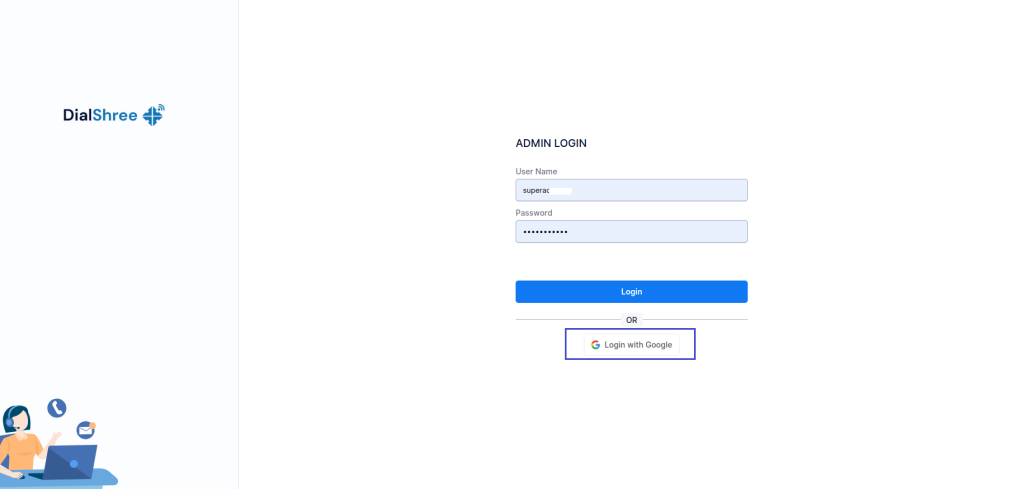
1.SSO with Google (Available for Both Agent and Admin Portals)
Let’s start with something that honestly should have been here from day one – Google Sign-In for both agent and admin portals. If you’re like most people, you’ve got about fifty different passwords floating around in your head (or more realistically, saved in your browser and occasionally forgotten at the worst possible moment). We’ve added Google authentication, which means one less password to remember and a whole lot less time spent on password resets.
Features
Seamless Login: Your agents and admins can sign in directly using their Google account credentials. No separate passwords to manage.
Admin Control: There’s a dynamic toggle in the user group settings that lets you enable or disable this feature anytime you want.
Secure Access: Requires a valid registered email for successful authentication, so you know exactly who’s logging in.
Easy Configuration: Quick setup using Google API credentials and callback URL for both admin and agent portals.
Benefits
Your agents spend enough mental energy actually helping customers. They shouldn’t have to waste any of it remembering which variation of their password they used for Dialshree. Enhanced security, familiar login experience, faster access, and you get flexible control without technical complexity.
Note: Currently available for on-premise server deployments.
2. External Transfer Sequential Call
Here’s a scenario that’s probably happened to you more times than you’d like: customer calls in, all your agents are busy or unavailable, calls get missed, customer gets frustrated, and now you’ve got a bigger problem than whatever they originally called about. The External Transfer Sequential Call Mechanism fixes that.
Features
External Transfer Switch: A simple toggle in the In Group settings to enable or disable external call transfers as needed.
Single Transfer Mode: Route dropped calls directly to one predefined external mobile number configured for the In group.
Multiple Transfer Mode: Route calls sequentially to a group of external mobile numbers until someone answers.
Sequential Routing Logic: Automatically tries the next number in the group if the first one doesn’t answer, continuing until a call is answered or the list ends.
Fallback Handling: If nobody in the group answers, the call routes to voicemail or a default system message.
Benefits
Every missed call is potentially a lost customer. This ensures that doesn’t happen, even when your office is having one of those days. No customer call gets left unattended, first-call resolution improves, customer frustration drops, and you get flexibility with both single-agent transfers and group-based sequential routing.
3. Ask AI in Agent Panel
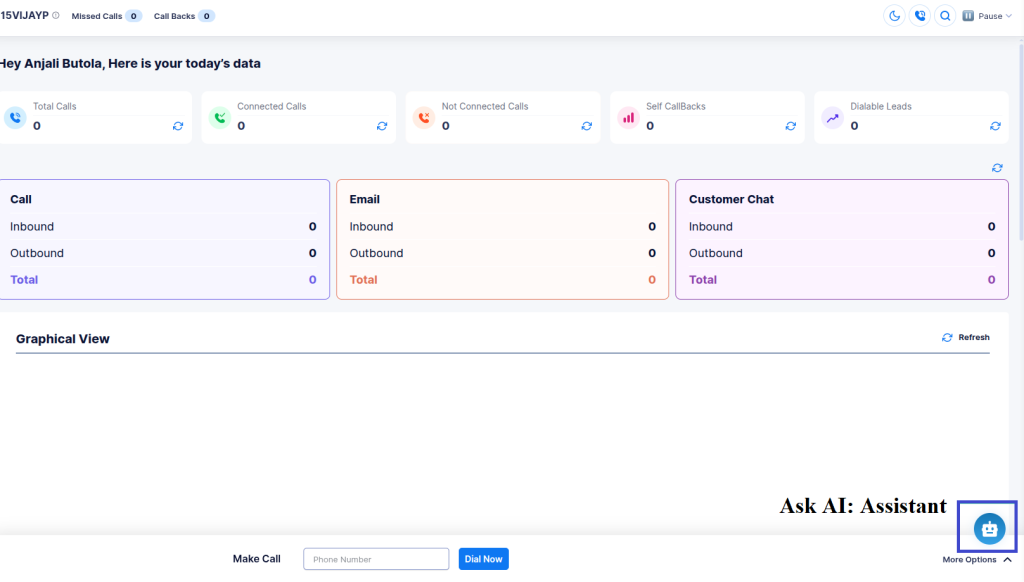
We added Ask AI to the admin panel a while back, and the response was so positive that we knew agents needed it too. Now it’s here in the Agent Panel.
Features
Simple to Use: Just type your question related to configuration or platform usage.
Step-by-Step Guidance: The AI responds with clear, tailored instructions for your specific query.
Visual Support: Relevant screenshots and visual references are included for better understanding.
Instant Content Redirection: The AI assistant redirects you to the appropriate documentation for detailed reference when needed.
Benefits
Your agents shouldn’t have to interrupt their workflow to hunt down answers or wait for admin support for basic questions. This makes them more self-sufficient, resolves queries quickly, reduces dependency on admin support, improves productivity with guided visual instructions, and provides fast access to detailed documentation.
4. Multi-Factor Authentication (MFA)
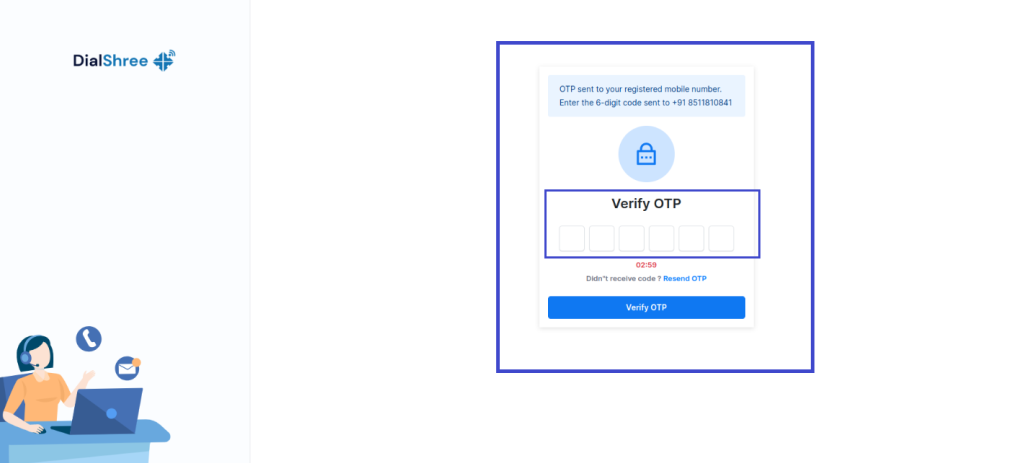
Passwords alone aren’t enough anymore. We all know this. But adding security shouldn’t mean making everything harder to use. Multi-Factor Authentication adds a second verification step to your login process. After entering username and password, users get a One-Time Password via Email, SMS, or WhatsApp.
Features
Flexible Control: MFA can be turned on or off for different user groups based on your security needs.
Multiple Delivery Options: OTP can be received via Email, SMS, or WhatsApp – whatever works best for your team.
Validation Requirements: Users must have a valid email or mobile number to receive OTP.
Detailed Logging: OTP logs are available in the MFA report for administrators to monitor and troubleshoot.
Resend Option: Users can resend OTP if they don’t receive it the first time.
Benefits
Simple, effective, and it keeps unauthorized users out. Adds an extra layer of login security, protects accounts from unauthorized access, ensures only valid users can access the system, and helps admins track and resolve OTP delivery issues.
5. Work From Home (WFH)
The world’s changed. Remote work isn’t a temporary thing anymore – it’s how a lot of teams operate permanently. The Work From Home feature makes that seamless. Agents can work remotely using their personal devices. Calls automatically route to the phone number mapped in their profile, so there’s no complicated setup required. No VPNs to configure. No softphones to troubleshoot.
Features
Remote Agent Login: Agents can log in using their personal devices from anywhere.
Automatic Call Routing: Calls route to the external phone number mapped for each agent in their profile.
Admin-Level Control: Full control through Plan Management and User configurations.
SIP User Restriction: Ensures secure and authorized remote access.
Simple Configuration: No VPNs or softphones needed – just straightforward phone configuration.
Benefits
Enables flexible and productive remote working, ensures uninterrupted call handling from any location, provides secure and controlled access for remote agents, reduces dependency on office infrastructure, and streamlines administrative control and monitoring for managers.
6. SMS Broadcasting
Sometimes you need to get a message out to hundreds or thousands of people at once. The new SMS Broadcasting feature makes that simple. Send bulk SMS messages directly from the Dialshree platform – notifications, promotions, reminders, alerts, whatever your business needs to communicate quickly.
Features
Bulk SMS Campaigns: Send messages to multiple leads simultaneously.
Customizable Templates: Create and manage reusable SMS templates for consistent messaging.
Targeted Messaging: Filter recipients by lists, campaigns, or custom criteria.
Real-Time Delivery Reports: Track delivery status and success rates for each campaign.
Scheduling Support: Schedule SMS broadcasts for future dates and times.
Seamless Integration: Works with your existing contact lists and lead data in Dialshree.
Benefits
Fast, cost-effective communication with large audiences. Increases customer engagement through timely alerts and updates, saves time by automating recurring announcements and reminders, provides clear insights into delivery performance and campaign effectiveness, and enhances marketing efforts with personalized SMS outreach.
7. Skill-Based Routing
Not all agents can handle all types of calls. Some specialize in technical support. Others are better at sales. Some are experts in specific products or services. Skill-Based Routing ensures calls automatically go to agents with the appropriate skills, improving both efficiency and customer satisfaction.
Features
Skill-Based Toggles: Enable at User Group and Campaign levels – both toggles must be active for the functionality to work.
Auto Call & Dial Next: Calls are automatically routed when the Vendor Lead Code matches the selected in-group.
Fallback Logic: Normal dialing logic applies when skill-based routing is disabled.
Benefits
Routes calls to the most suitable agents, reduces unnecessary call transfers, improves customer experience, and optimizes agent productivity and lead handling.
👉Bonus: Google Sheets Integration for Post-Call Data
Here’s one more thing for the data nerds out there (and honestly, who isn’t a data nerd when it comes to call center analytics?). You can now send post-call data from your Laravel applications directly into Google Sheets in real time.
Key Highlights
Real-Time Data Transfer: Lead information is instantly sent to Google Sheets as soon as the call ends.
Dynamic Column Creation: New columns automatically appear whenever new data fields are added – no manual updates needed.
Easy API Integration: Uses Google Apps Script Web App as a REST API endpoint for seamless connection.
User-Friendly Configuration: Quick deployment with minimal setup; works with any Google Sheet and sheet tab.
Error Handling & Feedback: Returns success or error messages in JSON format for easy debugging.
What We’ve Enhanced: Making Good Things Even Better
Sometimes the best updates aren’t about adding new features – they’re about making existing ones work better. Here’s what we’ve improved in v3.0.2:
👉Lead Recycle: Day-Wise Configuration
We’ve enhanced the Lead Recycle feature to give you way more flexibility. You can now configure maximum lead attempts on a day-by-day basis instead of having one blanket rule for everything.
Key Features:
Configure lead recycling attempts dynamically for each day
Select the start date for lead reset from a calendar
Automatic script runs at the start of each day to adjust attempts
Admin-side logging with date-wise tracking
Fully integrated within Campaign → Lead Recycle module
Benefits: Better lead management efficiency, campaign-specific flexibility, detailed audit trails, and optimized agent productivity by reducing redundant attempts.
👉WhatsApp Sticky Chat: Campaign-Wise Intelligence
Enhanced WhatsApp sticky chat to work across multiple groups while maintaining stickiness within the same campaign. No more cross-campaign confusion.
Features:
Supports sticky reassignment within the same campaign when agents are unavailable
Chats assigned to one campaign stay invisible in other campaigns
Maintains existing sticky logic when enabled at user or campaign level
Text-to-Speech just got a lot more powerful. Create templates that combine uploaded audio files with dynamically generated speech using placeholders like first_name or lead.
Key Features:
Static Mode for simple, predefined text conversion
Dynamic Mode to mix text and audio files with dynamic placeholders
Convert text to WAV audio format
Preview full sequences before saving
Benefits: Personalized audio messages, seamless mixing of static and dynamic content, correct sequence playback, simplified template creation and testing.
The Campaign Recording Filename field now respects user group permissions. Restricted groups see it as read-only, while others can edit freely. Plus, we’ve increased the maximum length to 100 characters.
Impact: Appropriate access control and support for longer, more descriptive filenames.
👉External CRM Access: Off-Call Availability
Previously, agents could only access External CRM after initiating a call. Now they can access it directly from the Agent Panel anytime.
Features:
Admins enable this via User Group settings
Configurable External CRM URL per user group
No need to start a call first
Benefits: Improved workflow efficiency and quicker CRM data access.
👉Owner Only Dialing: Lead Count Display
The agent dashboard now shows the count of leads owned by the logged-in user when Owner Only Dialing is set to USER.
Note: Dial method must be set to MANUAL or INBOUND_MAN.
👉ALT Dispo Call URL: Multiple URLs for Inbound In-groups
Admins can now configure multiple Dispo Call URLs by entering ALT in the field. Add multiple URLs with execution order, descriptions, call status triggers, and enable/disable controls.
For Existing Users: The update is rolling out now. Most features are available immediately through your admin panel settings. Check your notifications for any specific configuration steps for your deployment.
For New Users: If you’ve been considering Dialshree, now’s a great time to start. These updates represent some of our most requested features, and they’re all included in the latest version.
What’s Next
We’re not slowing down. Your feedback shapes our roadmap, and we’ve got more improvements in the pipeline. Keep telling us what would make Dialshree work better for your team – we’re listening.
Conclusion
Dialshree v3.0.2 isn’t about flashy features that look good in demos but don’t hold up in real-world use. It’s about solving the actual problems you face every day – security, efficiency, remote work, customer experience, and making your agents’ lives easier.
That’s what good software updates should do. Make things better without making things harder.
Questions about any of these features? Need help with configuration? Our support team is ready to help.
Welcome to Dialshree v3.0.2. We think you’re going to like what we’ve built.
In today’s fast-paced digital world, customer communication has undergone a significant transformation. Traditional channels like phone calls, sms and emails are no longer enough to meet the evolving needs of modern consumers. Customers demand seamless, instant, and personalized experiences across multiple touchpoints, giving rise to the importance of omnichannel solutions in e-commerce.
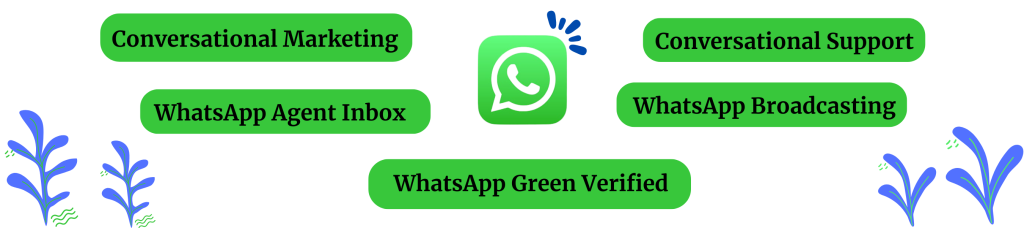
As messaging apps have gained immense popularity, they have become integral to customer service strategies. With billions of active users globally, platforms like WhatsApp have revolutionized the way businesses interact with their customers. The transition from traditional channels to instant messaging platforms is driven by customers’ preference for convenience, speed, and familiarity.
WhatsApp’s Global Reach for Customer Engagement
With over 2.7 billion active users worldwide, WhatsApp has emerged as one of the most widely used messaging platforms globally. Its massive user base and high engagement rates make it an ideal channel for businesses to connect with their customers seamlessly.
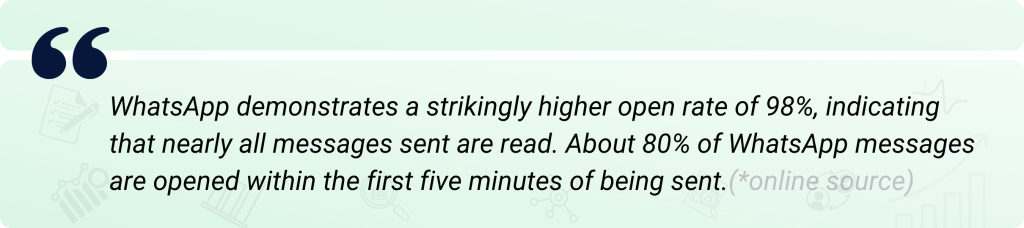
Compared to phone calls, which can be intrusive and time-consuming, WhatsApp allows for asynchronous communication, enabling customers to respond at their convenience. Unlike emails, which can get buried in cluttered inboxes, WhatsApp messages have higher open rates and faster response times, ensuring timely and efficient communication.
By leveraging WhatsApp’s global reach and popularity, businesses can establish a direct line of communication with their customers, fostering stronger relationships and delivering exceptional customer experiences. Whether it’s for pre-sales inquiries, order confirmations, or post-purchase support, WhatsApp’s versatility makes it an indispensable tool for businesses seeking to enhance customer engagement and satisfaction.
Benefits of WhatsApp Integration for E-commerce
Integrating WhatsApp into an e-commerce business’s customer service strategy offers several key advantages. Firstly, it enables quicker resolution of customer inquiries and issues. With WhatsApp’s instant messaging capabilities, customers can reach out and receive prompt responses, eliminating the frustration of long wait times on traditional channels like email, sms or even phone.
Moreover, WhatsApp facilitates personalized shopping experiences. Agents can share product images, videos, and details directly with customers, guiding them through the selection process and providing tailored recommendations.
This level of personalization not only enhances customer satisfaction but also increases the likelihood of successful sales and repeat business.
Another significant benefit is ensuring consistent customer service across channels. By integrating WhatsApp into an omnichannel contact center solution, businesses can maintain a seamless experience for customers, regardless of the communication channel they choose. Agents have access to a unified view of customer interactions, enabling them to pick up conversations seamlessly and provide cohesive support.
WhatsApp Features Enhancing Post-Sales Service
Firstly, real-time communication and updates are crucial for providing seamless post-purchase experiences. With WhatsApp, businesses can instantly notify customers about order confirmations, shipping updates, and delivery statuses.
This level of real-time communication fosters transparency and builds trust, ensuring customers feel informed and valued throughout the entire process.
Additionally, the ability to share multimedia content, such as images, videos, and documents, allows for dynamic and engaging interactions. Customers can easily share photos of products they’ve received, enabling businesses to promptly address any concerns or provide guidance.
Conversely, businesses can share instructional videos, product demonstrations, or visual aids, enhancing the overall customer experience.
Optimizing Customer Interaction with Omnichannel Solutions
One of the key advantages of an omnichannel approach is the ability to centralize communication channels for agents. By integrating WhatsApp with other channels like email, live chat, and social media, agents can access a unified inbox, eliminating the need to switch between multiple interfaces. This streamlined workflow enhances efficiency, reduces response times, and ensures no customer inquiry falls through the cracks.
Moreover, an omnichannel solution provides data-driven insights from customer interactions across all channels. By analyzing this data, businesses can gain valuable insights into customer preferences, pain points, and behavior patterns. These insights can then be leveraged to improve products, services, and overall customer experiences, fostering long-lasting relationships and loyalty.
Consistent branding and service quality across channels are also essential components of an effective omnichannel strategy. With WhatsApp integrated into the mix, businesses can maintain a cohesive brand identity and deliver a unified experience, regardless of the channel used.
Furthermore, omnichannel solutions often offer advanced features like “sticky” conversations, which allow customers to seamlessly switch between channels without losing context or having to repeat information.
Automation with WhatsApp enables 24/7 Customer Service
The integration of AI and automation capabilities within WhatsApp customer service is revolutionizing the way businesses interact with their customers. By leveraging chatbots and automated responses, companies can provide immediate assistance, addressing common inquiries and concerns without the need for human intervention. This not only enhances the customer experience by delivering prompt resolutions but also optimizes resource allocation, allowing human agents to focus on more complex issues.
Businesses can also leverage AI-driven workflows to automate various tasks, such as order confirmations, shipping notifications, and feedback requests.
Case Study: Leading Automotive Brand Transforms Customer Service
A leading automotive brand was facing challenges in managing post-sales service appointments and inquiries, resulting in long wait times and customer dissatisfaction. To address this, they implemented an omnichannel solution with WhatsApp integration and automation capabilities.
By leveraging WhatsApp chatbots and automated responses, the brand was able to streamline the appointment scheduling process and provide real-time updates to customers. This not only reduced the time spent on post-service bookings and appointments by a staggering 90% but also significantly improved customer satisfaction scores.
Furthermore, the brand’s service centers witnessed a remarkable 53.89% reduction in appointment delays and mis scheduling issues. Customers could now easily schedule, reschedule, or cancel appointments through the convenient WhatsApp channel, leading to a more seamless and personalized experience.
The integration of WhatsApp with the brand’s e-commerce systems enabled automated order updates, tracking information, and personalized recommendations, resulting in increased sales and customer loyalty. By embracing omnichannel solutions and WhatsApp automation, the automotive brand successfully optimized its post-sales service, reduced support costs, and delivered a superior customer experience.
Start Leveraging WhatsApp for Superior Service
In today’s hyper-connected world, customers expect seamless and personalized service across all touchpoints. WhatsApp presents a golden opportunity for businesses to elevate their customer experience and gain a competitive edge.
Embracing WhatsApp allows you to meet customers on their preferred communication channel, fostering a sense of convenience and familiarity. With its intuitive interface and real-time messaging capabilities, your customers can effortlessly reach out to your business, reducing friction and enhancing overall satisfaction.
Moreover, WhatsApp’s rich multimedia support enables dynamic interactions, facilitating seamless sharing of product images, videos, and other relevant information, ultimately leading to more informed purchase decisions and better post-sales support.
By centralizing your communication channels through an omnichannel solution, your agents can efficiently manage WhatsApp inquiries alongside other channels, ensuring consistent and personalized service across all touchpoints. This streamlined approach not only improves operational efficiency but also reinforces your brand’s identity and commitment to exceptional customer service.
Don’t let your competitors gain an advantage by neglecting this powerful communication channel. Take action today and integrate WhatsApp into your omnichannel strategy. Partner with a reputable omnichannel solution provider that offers seamless WhatsApp integration, empowering your business to deliver superior service and forge lasting customer relationships.
Banking is one of the most competitive industry verticals. There are so many banks, including private banks that are trying to attract customers to use their services and banking products. Thus, unlike traditional times when customers used to use services from specific government banks only, now customer experience and satisfaction have become vital. This is the reason each bank has put a customer care department within the bank using skilled banking agents and the best call center solution. There are multiple other banking communication solutions available other than the call center software that can help improve customer satisfaction for a bank. AI voice analysis tool for banks is one of the tools like that.
What is an AI voice analysis tool?
This tool is also referred to as an AI call center solution because it is an artificial intelligence-drive module that can be integrated into the call center solution.
The AI voice analysis tool for banks analyzes each call for quality based on predefined parameters such as:
Usage of positive words
Tone of voice
Emotions in the voice
Silence in the conversation
Verbose minutes of conversation
And more
Based on these parameters, it gives an overall score along with scoring each individual parameter.
How does an AI voice analysis help banks to boost client satisfaction?
This quality assurance tool can boost client satisfaction in multiple ways. Let’s check how.
1. It checks each and every call for quality
Unlike a manual analysis system, in which the manager checks only some random calls, the AI call center solution will analyze each call for quality assurance. This tool will ensure that none of the quality of service-related mistakes are overlooked. Thus, it helps in taking care of each client and the experience delivered to him or her to improve overall and individual banking customer experience.
2. It highlights unspoken signs of client experience
It is easy to decode a client’s frustration when he or she gets angry and shouts at a banking executive, but it is difficult to decode whether a customer is happy, sad, or upset with the banking services if he or she is not using those kinds of words in his conversation. The AI voice analysis tool for banks can analyze the tone and emotions in the voice to highlight when a client was upset or disappointed with the answer of the banking agent. This helps in improving conversation style and decoding unspoken emotions of clients to deliver better customer service.
3. Improve training
Agents handle banking clients, so they must be trained for rectifying their mistakes. The AI voice analysis tool provides details on individual mistakes. This helps in training agents based on specific mistakes they might be making during a call. This helps in improving the customer care standards in banks and boosts client satisfaction.
If you are interested in exploring more about a banking call center solution and AI voice analysis for banks to boost customer satisfaction, we can help you. Contact us to initiate the conversation.
An omnichannel contact center solutionis a radical business tool for call centers. It often comes with modern and advanced features to empower inbound, outbound, and blended calling campaigns. The call center dialer is one of the major features available in this software to support outbound campaigns in general. It can improve the value of inbound and blended campaigns, too. It means it is a general purpose and widespread system benefiting call centers to improve performance metrics.
In this blog post, we will explore details about the call center dialers with some really interesting insight.
In this blog, we have covered:
What is a dialer in a call center?
How many types of dialers are available in the call center software?
What are the major types of auto dialers?
Which is the best call center dialer for a call center?
Why is it important to have a dialer in a call center?
How to choose the right dialer for your call center?
Conclusion
Let’s delve deeper into this interesting and insightful subject matter.
1. What is a dialer in a call center?
In general, a dialer is an automated system integrated into a call center solution to automate the process of making outbound calls. The automated process is often considered a boon because it eliminates the need to manually retrieve phone numbers from the database or list and make calls. In fact, some call center dialer systems are extremely intelligent such as predictive dialing and use different algorithms to automatically dial and connect the call to customers which leads to improved values of various KPIs.
This process can also be manual, which lets agents make calls manually using a dial pad. As this system is so much popular along with having as one of the features in on-premise orcloud call center software, it is also available as an independent dialing software solution.
The major goal converted by the call center dialers is to improve the efficiency of an important process of connecting agents with the customers or leads in call centers. This helps in improving various KPIs (Key Performance Indicators) for a business. This is the reason the adoption rate of this software is quite high.
This feature is also referred to as sales dialer solution,phone dialer, call center dialer software, and several other names. But ultimately, each name signifies the same software.
2. How many types of dialers are available in the call center software?
In general, a call center dialer can be of two types:
A. Automated and B. Manual
Due to the massive popularity of automated dialers, when people refer to call center dialer software, they refer to the automated system. There are multiple types of automated dialers in the contact center. Depending on the provider of the software, one can have a different number of dialing options in their software.
3. What are the major types of auto dialers?
As mentioned, the number of dialers may vary depending on the provider and the dialing software you use. However, there are 4 major types of call center dialersthat you must consider if you are wondering whether to upgrade your existing system or want to get the new call center dialer software.
A. Auto dialer
It is one of the most basic types of automated dialers available in the software. As the name suggests, it automatically dials the numbers in a sequence one by one. It waits for an agent to finish his or her ongoing call. Once the agent gives the signal, this dialer for call centers retrieves the number from the list and dials it automatically. The agent will listen to the dialing tone, ringing phone, etc., and wait until the customer attends the call. In case the customer cannot be reached, the whole process will be repeated for the next number.
Benefits and drawbacks of auto dialer:
Benefits
· It saves time for agents from manual dialing. · It eliminates man made errors of dialing phones automatically.
Drawbacks
· Even if it is an automated dialing system, it is quite slow compared to other types of dialers.
B. Predictive dialer
It is also referred to as a rapid dialer because it rapidly dials numbers. It is the most advanced form of call center dialer. Unlike other dialer types, this is the most intelligent phone dialer. The reason is it can generate a prediction ratio that identifies the average dialing time and pick up time of the customer. It also predicts the average talk time of agents. Depending on that it creates a predictive dialing ratio and dials multiple numbers. It is the only dialer for call centers that dials multiple numbers in one go to connect with the client. Moreover, it is the only automated dialing system that dials the phone number even before the availability of agents. As soon as an agent is available for the next call, this dialer will have the next call ready for that agent.
It means there are some amazing functionalities associated with this dialing system and it is not available with any other dialer in a call center system. It can also detect answering machines, busy tones, unreachable numbers, etc., and based on that dials the next slot of phone numbers to be available with a call connected to a human.
Benefits and drawbacks of predictive dialer:
Benefits
· It can accelerate the productivity of agents to another level. · It can save a lot of time for agents. · It speeds up the dialing process and increases the reach rate. · It can increase major KPIs like the number of calls per agent, average talk time, average connection rate, etc. It also reduces the average idle time for agents to add up to the dialing rate. · It helps in boosting the overall performance of all agents along with individual agents. · It can increase the performance of a campaign and call center. · It increases goal conversion like leads, sales, collection, and more.
Drawbacks
· It may increase the call abandoned rate if the agent does not connect to the call immediately after a customer is connected. · It can contribute to the negative brand image if not used correctly. · It may increase the pressure and stress on agents, which may lead to reduced morale and motivation. · In some countries, the use of predictive dialing is abided by legislation and may lead to some legal consequences.
C. Preview dialer
As the name suggests, this call center dialer shows the preview of the lead to be contacted. This makes it unique in its type and beneficial in some specific types of outbound campaigns. It is not a 100% automatic dialer because it has an added step to be taken by an agent to make an automatic call. Once the agent shows the availability to take the next call, this automatic dialer will retrieve one number from the contact list. Moreover, it will fetch the basic or vital details about that lead from the dialer in call centersor if the system is integrated with a CRM system, it will fetch details from the CRM system. These details of the lead will be shown to an agent to study the lead to be contacted and prepare himself or herself for that call. The agent also has an option to “Accept” or “Skip” the call. On clicking the “Accept” option, this dialing system will automatically dial the call and once the human is connected, it will assign it to the agent. In case, if an agent clicks on the “Skip” button, then the system will skip that lead for that agent and may assign it to another agent. For this agent, it will repeat the process of retrieving the next number and its information to show in a preview window.
The advanced preview dialer will have 2 added options called dialing time for the agent as briefed below:
· Timeout dialing. It means for a specific time period the preview of the lead will be displayed to the agent. Once the timeout happens, the number will be automatically dialed by the system. In this case, an agent may or may not have the skip option. · Selection based dialing. It is a common preview dialing mode in which the agent is not abided by the time limit. Depending on his or her own pace, one can choose to dial the number or skip it. It means the agent can read the preview for an unlimited time period.
Benefits and drawbacks of preview dialer:
Benefits
· Reviewing previews for customers can help in gaining insight into the lead with whom the agent will have a discussion. This can give the required morale boost and knowledge to convert more leads into sales. · It can make more goal conversions. · It boosts the morale of agents.
Drawbacks
· It can reduce the dialing pace compared to other auto dialing options. · It may reduce agent productivity. · It may be a waste of time. · It may result in the wrong usage of resources by agents.
D. Progressive dialer
It is another fundamental automated dialer available in the auto dialing software or solutions for call centers. It also waits for agents to show availability to take the next call and once agents show the green signal, it retrieves the phone number in a progressive manner and dials the next number. The advanced progressive dialer can identify an interactive voice response system, answering machine, etc.
Benefits and drawbacks of progressive dialer:
Benefits
· It reduces the number of dropped calls. · It improves customer experience. · It boosts the morale of agents. · It increases productivity moderately.
Drawbacks
· It can waste some resources as the process is slow. · It may connect to the customer when they are not ready to have a conversation. · It may increase the callback request ratio.
E. Power dialer
It is a basic auto dialer, but with an advanced algorithm. Instead of waiting for an agent to show availability, this system will dial the next number as soon as the agent hangs up an ongoing call. It means the agent might still be doing the disposition or admin job after completing the call, but meanwhile, this dialer in call centers will automatically dial the next number. As soon as an agent is available, a power dialer will also be available with the next call already connected to a human. This dialing system can also detect answering machines, voicemails, etc., and bypass those calls.
Benefits and drawbacks of power dialer:
Benefits
· It increases the number of calls per hour. · It increases agent to customer dialing ratio. · It increases agent productivity. · It increases performance and resource utilization in a call center.
Drawbacks
· Agents may have some wait time for the next call, which would affect overall productivity. · It may increase the call drop ratio.
4. Which is the best call center dialer for a call center?
In general, predictive dialing is considered to be the best dialer for call centers as it can increase multiple KPIs. Even if there is a risk of increased abandoned and drop call rate, there is always an option to automatically or manually control the predictive dialing pace to reduce the negative impact of predictive dialing. However, this might not be true in all cases. Each dialer has its own pros and cons, as well as applications in a call center. Thus, depending on the business needs, goals to be targeted, and nature of the campaign, a dialer can be thebest call center dialer. You can read the top guides about selecting the right dialer for your business or you can choose to experiment with different dialers for campaigns to review, which one works the best for you and your campaigns.
5. Why is it important to have a dialer in a call center?
Due to multiple reasons, it is necessary to have a dialer in the call center. The basic need for implementing a dialing system in the call center is to increase the overall performance of the business, agents, and campaigns.
Let’s understand the real importance of the dialer based on the example backed by the statistics. As per the statistical result shared by Hubspot, on average a sales agent makes 8 cold calls to reach a real prospect. The same statistical result also mentions that on average, 15% of the time the agents get spent leaving voicemail messages. This signifies that each month, a call center wastes around 36 hours every month. This is a huge loss for a call center as this is a complete waste of time and resources.
Different call center dialers can boost not only the calling rate, but it can also identify voicemails and answering machines and bypass them for agents. That means a majority of the time agents get connected with a human. In the case of using a predictive dialer, it removes all calls that are not connected to the agents and only connects human attended calls to the agents to make agents more productive and resourceful. Depending on the target audience type and type of dialer used, the system can reap benefits for call centers. This makes it necessary to use them in any call center.
6. How to choose the right dialer for your call center?
A manual dialer is chosen based on various factors such as:
When an agent receives a lead during a live call and wants to dial it immediately.
When an agent does not have the right to add a number to the lead list.
When an agent is instructed to do so.
The selection of the right automated dialer is not as straightforward as it is for a manual dialer. There are some really vital driving factors that one needs to keep in mind to choose the right dialer for a call center. The following are the top factors to keep in mind to select the best auto dialer to maximize returns:
Campaign objective: collection, cold calling, sales, customer care, survey, lead generation, etc.
Total manpower: Available agents, active agents, active supervisors, etc.
Type of lead source: Website, old database, reference, existing customer base, etc.
All these factors need to be compared together for the selection of the best dialer. For example, you have more than 100 active agents and a sales database collected from a third party website for cold calling. Your customers are strangers. In this case, using a predictive dialer can be the most beneficial option.
You can refer to the online articles that give detailed information about each dialer and the best use cases of that dialer along with considering tips shared in this article. You can also run an experimental auto dialing campaign with two campaigns and the same segment of leads to monitor which gives you the best results.
7. Conclusion
The dialing system is amazing in its all forms and it actually benefits call centers. This is the reason it has become necessary to use them in all outbound campaigns. They can also be used in some selective inbound and blended campaigns depending on the nature of the business and campaign. Even a manual dialer has a vital role to play in the call center.
The function of retrieving numbers and making calls is just one part performed by this system. There can be multiple other jobs that this dialing system can do in association with other features available in the software such as showing a call script to agents, recording calls, using CTI features during a live call, using soundboard Avatars, and more.
Elision Technologies have the bestcall center dialers integrated into its topmost contact center solution, which is popularly known as DialShree. DialShree has amazing and advanced dialers that have already backed different call centers to improve major KPIs and overall performance and revenue. You can experience how they make a real difference in the lives of their users in a live demo and live Q&A session with our business development team. So what are you waiting for? Book a Free Demo Now!
The call center industry is growing and expanding like anything in the past few years. This has increased the awareness about call centers and software used to run seamless operations in this industry. A call center solution is usually used to handle communication and various other operations to efficiently run a call center or customer care center business. This software is available as a GUI based solution, still, there are multiple jargons associated with this system and industry. In this article, we are going to explore the top 100 call center terminologies.
We are going to cover all majorly used terminologies associated with a call center software solution and this industry to give a glossary or complete vocabulary. It will serve as your ultimate call center dictionary.
A
1. Agent
Call center agent is a commonly used word and therefore, this glossary starts with it. He is a representative of the call center that communicates directly with customers or prospective customers. Most of the time he is on the call and having conversations and in the remaining time, he would be completing administration jobs, dispositions, training, etc.
2. Abandoned Call
When a customer disconnects the call before an agent actually answers the call and greets the client, it is called an abandoned call. In both inbound and outbound centers, customers abandoned the call for various reasons such as the unavailability of an agent, too long waiting time, network issues, connection errors, etc. In outbound centers, the calls are often abandoned while predictive dialing is used.
3. After Call Work
Once the call is completed, an agent needs to take care of certain jobs such as putting disposition in the disposition box, making some entries in the CRM system, etc. All these jobs are called After call work (ACW).
4. Auxiliary Time
When an agent has logged into the dialer, but it is not attending calls, it is called auxiliary time. This time is often invested in attending training, meetings, taking breaks, etc.
5. Automatic Call Distributor (ACD)
It is one of the most commonly used call center terminologies and automation features available in contact center software. It automatically distributes incoming calls to appropriate agents. A single system can have more than one automatic call distributor rule.
6. Auto Dialer
It automatically dials the phone number from the lead list. It automated outbound calling campaigns. A system can have multiple auto dialers.
7. Automated Callback
The system automatically calls back the customer as per the requested time by pushing the number to the call center dialer hopper. It does not need agents to remember the time and make a callback. The scheduling will be 100% automatic.
8. Average Call Handling Time
It is the metric used to evaluate the average time agents take in a call center to handle a call. This time includes the complete time spent handling a single call from the client. This includes the time since the agent picks up the call to complete after call work. This includes talk time, hold time, and disposition job.
9. Average Call Answer Rate
It shows the ratio of the total number of calls answered by agents compared to the total number of calls received by a call center.
10. Average Talk Time
An agent manages various jobs during his shift, but his main job is to have conversations with clients or prospective customers. Thus, average talk time KPI (Key Performance Indicator) is used to measure how much actual time is spent by an agent talking to clients. To find this time spent in the queue, after call work, hold time, etc. gets subtracted, and only talk time is measured.
11. Average Call Drop Ratio
Customers are likely to hang up calls even while having a discussion or while in a conversation with an agent. This is called call dropping. An average call drop ratio identifies average clients that dropped calls before having a conclusion of the call. This can happen due to various reasons like network or technical issues, too long call hold time, lack of skills in agents, high irritation level in clients, and more.
12. Average Call Value
It is one of the call center terminologies that help in assigning monetary values and identifying revenue generation or profit making. The total revenue generated by the call center gets divided into a total number of calls attended. This comes up with a single value for each call, which is referred to as a call per value or average call value.
13. Average Hold Time (AHT)
This KPI identifies the average time spent by customers on hold and waiting for an agent to respond to their questions. The time spent in the call queue is also counted in the hold time. Moreover, the time customers spend on hold while agents look for the resolution is also considered in this KPI. Too high call hold time can lead to high dissatisfaction among clients.
14. Average Speed of Answer (ASA)
It shows the average time agents take in answering a call. Once the call is assigned to an agent, the agent takes some time to utter the first word of greeting. This is the time an agent took to answer a call. This speed is referred to as the speed of the answer.
15. Auto Attendant
As the name suggests, it automatically attends all incoming calls. It can play a greeting prompt and even put music on hold or assign a call queue to the caller to keep him engaged and connect with the right agent.
16. Automated Call Sequencer
This is an advanced feature available in a contact center solution. This feature can identify the average time it would take to connect with an agent based on the current call queue. This will be played during the call hold time to give a hint of how long the call hold time will be for a customer. Some call center solutions also give the option to schedule a callback.
17. Automatic Number Identification (ANI)
It defines the number of callers in real time and shows it to the agent. In simple words, it shows the caller ID to the agent in real time. This information can be used for call mapping to the right call center location or agent.
18. Application Programming Interface (API)
It is one of the most technical call center terminologies. It creates a bridge between two different software solutions. It defines a set of procedures, functionalities, and tools that characterizes how different components work in a harmony. The APIs also get used to adding some features of another software solution into the call center system.
19. Automatic Speech Recognition (ASR)
The ability of a machine to identify a word or phrase in a spoken language is called speech recognition. The whole process is automatic, which is why it is called automatic speech recognition.
B
20. Business Continuity Plan
It is an important business document, which defines the major risks lurking in the business and can cause major or minor losses to the business. The business continuity plan also defines the best practices and standards that a call center must follow to continue running and growing without causing any negative impact on business.
21. Business Process Outsourcing (BPO)
When a company contracts a call center to process the operations to leverage outsourcing advantages, this is called business process outsourcing. A company that offers offshore business processing services is called a BPO.
22. Business Intelligence
This is one of the call center terminologies that have gone popular after the massive intervention of artificial intelligence in the call center industry. Business intelligence is a process of using data analytics tools to identify patterns in data to generate intelligent standards to run a business.
23. Blended calling campaigns
Usually, a call center either runs an inbound or outbound calling campaign. When it uses blended calling, the agent would receive both types of campaigns. This type of campaign is called a blended campaign. The agents that take blended calls are known as blended agents.
24. Base Staff
The staff that will be available during the working hours at minimum is called base staff for optimal operations. For example, if a call center has 100 agents and 80 are the base staff, then at any given time, there will be 80 agents operating in the call center. Even when some agents are absent, on break, or have not joined the shift, the base staff would be available and actively working.
25. Blended call center solution
A call center software solution that supports a blended calling mechanism along with or without inbound and outbound calling is called a blended call center solution.
When a call is blocked from reaching an agent, then it is called a blocked call. A call can get blocked for several reasons such as the trunk being filled, the queue limit being over, or other technical or system issues.
27. Busy Study
It is the number or detailed report sent by the carrier to the call center to show the percentage of calls that could not get connected for certain reasons such as the line or carrier being busy.
C
28. Call Routing
Routing a call means traversing a call to the right destination. In general, an inbound call gets routed. It can be routed to an extension, call queue, another IVR, voicemail, etc.
29. Callback
It is a process of calling back a customer that has requested to get connected at a certain point in time. The callback might be requested by the client during an outbound call to an agent. In this case, the agent would schedule a callback manually by adding details to the contact center software. Unlike that, it might be an automated callback scheduled by the dialer itself at the request of a customer waiting in the call queue.
30. Call Avoidance
When an agent intentionally avoids calls by putting off the IP Phone receiver or by using any other technology in the Softphone. This can hamper multiple KPIs as the customers cannot reach the agents.
31. Call Detail Reports (CDR)
This is a complete and basic report available in each call center dialer solution. It logs and represents details of each call in a tabular report format. This may include call start and end time, caller ID, type of call, customer details, call duration, and more. The CDR format may vary from one call center software provider to another.
32. Customer Relationship Management (CRM)
It is another crucial system used in call centers. The main objective of using a CRM system is to manage more detailed information about customers to enhance lead nurturing campaigns. Many contact center solutions allow integration of a CRM system or offer an inbuilt mini CRM system to let agents use the customer information during live calls to provide personalized customer information.
33. Computer Telephony Integration (CTI)
It is the process of connecting your telecommunication system with a business or call center database and using the telecommunication system via a computer.
34. Call Management System (CMS)
It is a complete system to manage different types, inbound, outbound, and blended, calls and track the performance in real time and historically.
35. Calibration
This is an evolutionary process to map the accuracy of customer satisfaction goals of customers with the performance of the agent and the quality of service delivered to customers.
36. Call Center Software
It is a complete platform with an array of features that empowers call centers to function accurately and meet different business goals.
37. Cloud Call Center Solution
A call center dialer solution hosted on any of the cloud platforms is known as a cloud call center solution. It empowers the concept of work from home agents and remote call centers.
38. Call Controls
A system gives access to an array of CTI features to agents during a live call, which is referred to as call controls. Some of the common call controls available to agents during a live call are call mute and un-mute, call hold and retrieve, call transfer, hang up, and more.
39. Call Recording
It is another feature available in the software for call centers. It lets call centers record calls for quality assurance and training purposes. It saves the call recording files in the system or on the cloud, which can be later downloaded or played within the system for quality check.
40. Call Queues
When agents are occupied on other calls and not available to take the call, then the system puts the customer in the waiting line. This waiting line is called a call queue.
41. Call Forwarding
The system allows call centers to make configurations to forward a call dialed on a particular number or extension to another number of extensions. This process is called call forwarding.
42. Call Transfer
When an agent transfers an ongoing call to another agent or supervisor, this process is called call transfer. Call center dialer software supports attended and blind call transfers. In the attended transfer, the recipient agent or supervisor is informed that the call is getting transferred to him or her. In the blind transfer, the agent simply transfers the call without informing the other party.
43. Customer Satisfaction Rate (CSAT)
This is a vital KPI that measures how many customers are happy with the delivered service and satisfied with the given solution. Usually, it is defined based on the ratings collected from customers after the completion of an ongoing call.
D
44. Dashboard
It is the first screen for supervisors and admin, which shows the value of major metrics. It displays different performance indicators of agents, systems, call centers, etc. Different call center solutions can have different values on the dashboard.
45. Disposition
It is the process followed in the after call work by an agent. The agent indicates the conclusion or status of the call in disposition.
46. Direct Inward Dialing (DID)
It is a direct dial in number that connects the caller directly to the intended recipient without staying in the queue or dialing an extension.
47. Do not Call (DNC) list
It is a system wide or campaign wide list of phone numbers that indicate the numbers that need to be skipped during auto dialing. The customers might have opted for the DNC list and should not be contacted for a specific interval or permanently.
E
48. Escalation Plan
It is a documented plan that defines how to handle an escalated call. Usually, when a call cannot be handled by an agent and needs to be escalated to the supervisor or the customer explicitly demands to talk to the supervisor, it is called an escalated call. The escalation plan defines the guidelines for both agents and supervisors to handle escalated calls professionally.
49. Expected Wait Time (EWT)
It is an average wait time a customer needs to hold on to get connected with the agent. It is calculated with the formula of dividing the value of the multiplication of position in the call queue by the average call handle time with the value of the total number of active agents.
F
50. First Call Resolution (FCR)
When a customer receives the resolution to their query within the first call, it is called first call resolution. If you are using an omnichannel contact center software solution, it is also referred to as a first contact resolution as any mode of communication may get used.
51. First Response Time (FRT)
It is a performance indicator that indicates how long a call center agent takes to first respond once the customer puts his concern or query forward for resolution.
G
52. Grade of Service
This metric defines the possibility of getting a call blocked because of a technical issue in the circuit or because it is busy.
H
53. Handled calls
It is an individual and overall performance indicator, which calculates how many calls out of received calls are handled by the agents.
54. Healthcare call center
A call center that exclusively processes business operations and handles campaigns in the healthcare industry is called a healthcare call center.
55. Helpdesk
When a call center is set up to manage technical support requests of clients, it is a help desk. A help desk call center solution will have added features to support managing technical requests and tickets.
56. HIPAA Compliant
When a system or call center follows the policies defined by Health Insurance Portability and Accountability Act, it is called a HIPAA compliant system or call center. If you want to operate in the healthcare industry, it is a must to follow HIPAA compliance in order to protect the confidentiality and privacy of sensitive patient data.
57. Hit rate
The number of successful calls out of a total number of calls is called the hit rate of that agent or campaign.
58. Historic Reports
The tabular or graphical representation of major KPIs based on historic data is called historic reports. These reports are used for evaluation of performance in a specific time and to make the required business decisions.
I
59. Inbound call center
When a call center handles only incoming calls, it is referred to as an inbound call center.
60. Interactive Voice Response (IVR) System
It is one of the most traditional call center terminologies as it is associated with the most conventional features of the software for call centers. IVR is a system that lets the caller interact with a menu of voice prompts and take the required action or get a resolution to the query without actually getting connected to an agent. It is a self serving feature. Read the full IVR explainer →
61. Idle Time
The time when an agent sits idle waiting for the next call or task and doing nothing is called idle time.
K
62. Key Performance Indicators (KPIs)
Each call center has some predefined performance metrics that get evaluated from time to time to measure the success and efficiency of operations and individuals. The major performance indicators monitored by a call center are referred to as key performance indicators.
63. Knowledge Base
A call center system includes a feature or module that provides instructions and guidelines to effectively manage customers and protocols, plus, efficiently using software, tools, etc. for agents and supervisors. It is called a knowledge base.
L
64. Level Zero Solvable
It signifies the number of calls that are resolved by the agent or a supervisor, but that could have been resolved by an IVR or an FAQ section on the website.
65. Lifetime Value
It indicates the revenue generated by a customer from the day he or she has become a paid customer till today.
66. Live Statistics
It shows the real time value of major performance indicators. The live statistics can show values related to the system, software, trunks, agents, campaigns, calls, etc. to let supervisors ensure everything is operating as per the predefined efficiency level.
67. Live Monitoring
A contact center system provides various features to let admin or supervisors monitor performance in real time such as live reports, live dashboards, barge-in feature, etc. When a supervisor monitors major performance indicators in real time, this process is referred to as live monitoring.
68. Load Balancing
Technically, it is the process of handling massive call volume that can bring the system down by adding an additional server, database, call queue, etc. In a call center, the excess call volume is swapped from agent call queues to supervisors to balance the peak hours and manage the load.
69. Longest Waiting Agent
It signifies the agent that has been waiting for the longest for the next call.
70. Longest Idle Agent
It indicates the agent that has been sitting idle and doing nothing for the longest.
M
71. Manual Dialer
A contact center system will have a phone alike dialpad feature that lets agents manually dial and connect a number to have a conversation. It is called a manual dialer and is used when the number is not stored in the lead list.
72. Multilingual call center software
When a system supports more than one language, it is called a multilingual call center software solution.
73. Multi currency support
When a call center has payment processing options from a business or technical perspective and it supports multiple currency types, it is a system that supports a multi currency supported platform.
74. Multi tenant call center solution
A call center platform that supports tenant support is called a multi tenant call center solution. Using a single software solution, multiple software instances can be created and each of them can be used as an individual yet centrally controlled contact center solution.
N
75. Net Promoter Score (NPS)
It is one of the vital performance indicators, which showcases the probability of getting promoted or referred to the network of an existing customer. The high NPS defines a high performing call center.
O
76. Occupancy Rate
It indicates the duration for which the agent was occupied in handling calls or doing after call work versus the time agent was logged in to the system.
77. Outbound call center
A call center that handles only outgoing calls is referred to as an outbound call center.
78. Omnichannel Call Center Solution
A solution for call centers that supports unified aka all communication channels within the software is called an omnichannel call center solution. The communication channels include voice calls, video calls, SMS, email, fax, social media, WhatsApp, help desk, and more.
P
79. Peak Hours
The hours of the day when a call center receives maximum call volume are called peak hours.
80. Predictive dialer
It is an auto dialer feature available in the software. It can predict the ratio of calls that need to be dialed to connect with a human vs. when the agent will complete the ongoing call. The predictive dialer is the most advanced auto dialing system.
81. Progressive dialer
It is another auto dialer that dials the phone numbers automatically from the lead list in a progressive manner.
82. Preview dialer
This auto dialer shows a preview of the lead to be contacted before the automated dialing of the phone number. The agent gets an opportunity to accept or skip the lead.
83. Platform as a Service (PaaS)
When a call center or business uses call center software as a platform and offers it to other businesses for revenue generation, this business model is called PaaS. The multi tenant call center solution is used to run the PaaS model.
Q
84. Quality of Service (QoS)
It indicates the rate of performance accuracy and services delivered by agents, systems, protocols, etc. to deliver an excellent customer experience with their services.
85. Quality of Call (QoC)
It defines the overall quality of each call, which is ideally defined by the efficiency of handling a call by an agent with a professional and polite conversation.
R
86. Random Call Distribution
It is a type of automatic call distribution strategy available in the system to route calls to different agents or call queues. It randomly assigns incoming calls to different agents and queues.
87. Round Robin Call Routing
It is another automatic call distribution strategy, which assigns calls to agents or queues on a first in, first out basis aka in a sequence from queue 1 to queue N.
88. Real Time Reports
The modern call center solutions add an additional segment of reports, which update all major KPIs in real time to show live values of each KPI and take instant action to improve performance.
89. Remote Agent
When an agent adopts work from home or work from anywhere model with the help of a cloud contact center solution, it is called a remote agent.
90. Redial
When an auto dialer cannot connect with the lead in the first attempt and it retries to connect with that lead by redialing the number, it is called redial.
91. Rest Day Overtime (RDOT)
When an agent works on a day off or holiday as overtime, it is referred to as rest day overtime.
S
92. Script
It is an easy to scan, written document that gives instructions and guidelines to agents to handle and lead each conversation in an unformed and systematic manner.
93. Service Level Agreement (SLA)
It defines a legal document or agreement that entails the service provider meeting the predefined benchmark of service.
94. Skill based routing
It is an auto call distribution feature, which routes the incoming call of a client to the most skilled agent.
95. Sticky Agent
This auto call distribution feature routes an incoming call of a customer to the same agent every time. As it sticks to the same agent, it is called a sticky agent.
96. Software as a Service (SaaS)
When a call center dialer system is used to provide service to other call centers or businesses, this model is called SaaS. A multi tenant contact center solution is used to run the SaaS model.
T
97. Text to Speech Converter
Some call center solutions support the conversion of written text into a voice prompt to use in an IVR or voice broadcasting. This feature is called text to speech converter.
U
98. Unified Communication System
The platform that supports the use of all popular communication channels within a single system is called a unified communication system. An omnichannel contact center solution is a unified communication system.
V
99. Voicemail to email
Some contact center solutions support voicemails for agents. That means clients can leave a voicemail message, which is received by the agents and can be listened to. The voicemail to email feature sends the voicemail message to the email.
100. Voice analysis tool
This is available inan AI call center solution, which analyzes various factors of voice for quality assurance such as sentiments, the pace of voice, silence detection, etc. The voice values of both client and agent can be evaluated with this tool for performance evaluation.
IVR (Interactive Voice Response)
IVR stands for Interactive Voice Response — the automated phone menu that
answers a call and routes it based on what the caller presses or says. It can also resolve
simple requests (balance checks, OTPs, appointment confirmations) without a live agent.
Cloud telephony is a business phone system that runs over the internet instead of physical
lines or on-site hardware — the provider manages all infrastructure. Businesses use it to scale
call capacity instantly, support remote agents, and avoid hardware investment.
Predictive Dialer / Auto Dialer / Progressive Dialer
An auto dialer automatically places outbound calls from a list. A predictive dialer
predicts agent availability and dials ahead for maximum volume. A progressive dialer
only dials once an agent is free — prioritising compliance over call volume.
These are the top 100 terminologies associated with the call center industry. Some of them might sound like jargon to you, but we have tried to make it simplified for you to understand each important phrase associated with the contact center. If you have any questions or want to share your thoughts, feel free to contact us.
What is the difference between a call center and a contact center?
A call center handles voice calls only. A contact center handles voice, email, chat, WhatsApp, and social media — all from one platform with a unified customer history across every channel.
What does IVR stand for in a call center?
IVR stands for Interactive Voice Response — the automated system that greets callers, presents a menu, and routes them to the right agent or department without any manual intervention.
What is cloud telephony?
Cloud telephony is a phone system that runs over the internet with the provider managing all infrastructure — no physical lines or on-site hardware needed. Businesses can scale call capacity instantly and support remote agents from anywhere.
In the race to provide an omnichannel customer experience, brands empower their support centers with robust contact center solutions. Along with an eye on performance and user experience, they hyper-focus on efficiency. In the effort to improve efficiency, several aspects come into the picture, including technologies, communication tools, data analytics, AI, and more.
One aspect that plays an indispensable role in shaping the efficiency of contact centers is UI and UX design. The UI and UX is one of the most essential elements, not just for the customers but for the agents, too. As per stats, a company with an IT ticketing system with an interactive interface can boost agent efficiency by 15-20%.
Therefore, having a ticketing system or an omnichannel communication solution with excellent UI/UX features is indispensable. Let’s proceed with the blog and shed some more light on it.
Why do UI and UX Matter?
In a contact center environment, the agent’s productivity is paramount. As a call center agent has to take over 50 to 100 calls a day, they need tools that are easy to use. Besides, the admins of the contact centers also require the same tools for monitoring the agent’s performance, providing feedback, etc.
An easy-to-use tool should have some UI/UX elements, such as swift navigation, agent-friendly colors, auto-dialer, interactive dashboard, etc. These features help in faster operations like call switching, feedback recording, etc. Here are some more reasons to invest in the ultimate UI/UX.
Agent Perspective
Reduced Training Time Training is necessary whether it is a new employee or an old one interacting with a new software solution. With an intuitive UI, graphics, button placements, etc., it becomes easier for agents to locate what they need.
A user-friendly interface featuring intuitive navigation and clear labeling reduces the learning curve. Thereby reducing training time. As per stats, an effective UI/UX design can help decrease training time by up to 50%.
Boost Agent Productivity Agent productivity is paramount in a contact center. An agent may have several tasks in a call center, such as fetching the issue ticket, dialing the number, talking to the agent, documenting the conversation, etc.
If all these tasks are performed manually, they will hamper the productivity. Therefore, an automated dialer with features like auto-calling, voice-to-text conversion, etc., can be an awesome addition to its UX.
Improved Task Performance With all the necessary information on the screen, agents can find and use the required features on the go. For instance, if they need to add call information in the tool, it will be easier to locate a text box than a simple text somewhere on the screen.
A well-designed UX includes exceptional information architecture that helps quickly locate the right feature.
Maintain Multi-Channel Consistency The omnichannel experience is not just for the users; it’s for the agents, too. With similar UI/UX features across all the communication channels, contact center efficiency can be jacked significantly.
For example, an omnichannel communication solution with all the major communication channels with a single interface can boost the agent experience. As per the Tata CLIQ’s Director, “having a single interface for all kinds of CRM needs has made our agents happier and more efficient.”
Adaptability to Change No matter which software or tool it is, they are susceptible to issues with time. Therefore, they need to be updated as per the latest trends.
A simplified UI/UX design is more straightforward to update and modify. Besides, it is a cakewalk to make the necessary updates and changes in the UI/UX without disrupting the customer and agent experience.
Amplifies Agent Experience Agent experience is all about how easy it is for the agent to use the tool or solution. Aspects like navigation, information architecture, visual design, typography, etc., the better they are, the better will be the experience.
Stats show a 15-20% improvement in agent experience when there is a single interface for all CRMs.
Admin Perspective
Intuitive Navigation Besides agents, admins must also monitor several aspects to ensure business profitability. Therefore, the UI needs to have all the necessary tabs featuring tickets raised, CRM team performance, average agent earnings, etc., in proper size and font for quick navigation.
Visual Dashboard Several real-time contact center metrics need an admin’s attention at all times. These metrics include call volume, recurring calls, inbound calls, outbound calls, agent performance, and customer satisfaction.
Colorful tabs highlighting these parameters can help them make data-driven decisions faster.
Customizable Reporting Reporting helps in understanding performance patterns and taking action. The tool UX should offer customized reporting to create and customize reports based on performance parameters.
Collecting all the crucial parameters in one report enables admins to analyze contact center performance, identify trends, and measure KPIs.
Real-time Monitoring Real-time monitoring can help in handling emergency scenarios easily. Moreover, real-time tracking of parameters like agent activities, ongoing calls, and queues helps assess bottlenecks and take action immediately. All this is possible via an interactive UI/UX.
Collaboration Tools Training the agents can be seamlessly done with collaboration tools. With a supreme UI featuring collaboration tools like internal messaging tools, call monitoring and barging tools, etc., admins can seamlessly support their team members, improving productivity and customer service quality.
Responsive Design Unlike agents, admins need to have continuous access to the admin dashboard for a longer time. Hence, the UI/UX should be responsive, making it accessible not only on a PC or laptop but also on handy devices like phones and tablets.
Role-based Access Control Security and privacy is a primary concern for a contact center as there is a lot of sensitive data involved. Therefore, the UI/UX features should include role-based access defining permissions for each member of the company hierarchy.
What are the Key UI/UX trends in Shaping Contact Center Efficiency?
Every tool needs to be updated with the fresh industry trends. The same is the case with the UI/UX of the software. So, here are some key UI/UX trends that are Shaping Contact Center Efficiency.
Intuitive Navigation As businesses integrate multiple communication platforms into one software solution, intuitive navigation is necessary. In an omnichannel platform, all the required communication channels, such as SMS, WhatsApp, email, etc., should be placed exceptionally on a single screen or at least a few clicks away.
This can help save navigation time and boost efficiency.
Chatbots Agent productivity is highly dependent on the relevant calls they take. For example, if a person is just calling to confirm their product’s renewal, it can be directed to the chatbot as it is a simple task that may not require an agent intervention.
As 69% of the customers prefer to use a chatbot as it provides instant responses, it can also be a great promoter of agent experience. With chatbots as part of the contact center solutions, you can significantly boost efficiency as agents focus on more important tasks.
Agent-Centric Design The UI design should be entirely agent-centric. All required functionalities should be placed on a single screen, such as call transfer, manual dial, WhatsApp messaging, general messaging, Facebook posts, connected calls, internal chat, not-connected calls, etc.It will allow the agents to navigate and take action faster.
Customization Customizable UI is another UI/UX trend that is super useful in boosting agent efficiency. Agents can customize their user interfaces to move some of the screen elements to another place on the screen for quicker access.
For example, agents can move elements to see previous and current customer interactions.
Clear Information Presentation The agent’s productivity is directly proportional to the efficiency of the contact center. The call handling can be swift and smooth if the agent is presented with all the necessary information about the customer, such as the name, number, previous interaction, call scripts, etc.
Gamification elements Gamification can be introduced in the call center solution in several ways. For example, you can monitor agents’ call parameters like issues resolved on calls, number of calls, missed calls, first call resolution rates, hold times, etc.
Based on the analysis of these aspects, you can provide agents with star ratings, create leaderboards, provide badges, and more in the tool itself. This will gamify the calling tool and motivate the agents to perform better.
Streamlined Workflows To maintain a streamlined workflow means to keep the contact center tool as simple yet functional as possible. Make sure that all the chat and call features are placed at the right place on the screen.
For example, divert all the basic customer issues to chatbots. Besides, keep the dialer application on auto-dial, provide interactive pop-ups for inbound calls, etc. All these can help establish a streamlined workflow.
Real-Time Data Real-time data access is an exceptional and innovative UX trend. It is combined with AI-backed data analytics that helps contact center admins get valuable insights about agent and contact center performance.
With access to current and past data, they can picture the performance of every agent on a single dashboard.
Integration Capabilities As the call center may need multiple software like CRM, analytics, etc., side by side, software integrations are the best way to use them. Current contact center trends show that contact center solutions support these integrations.
You can easily integrate third-party integrations into the solution to extend its usability. DialShree supports integrations like CRMs, IP PBX, EPBX, and other third-party APIs.
User Feedback Mechanism A user feedback mechanism is an excellent way to improve the contact center solution further. With the ability to add their feedback and suggestions regarding the solution’s performance, agents can play their part in the efficiency amplification.
Training and Onboarding Support Every Contact Center solution will have different UI and UX features, which could be easier to grasp quickly for a newbie. Therefore, it is necessary to include in-software training material that could guide the trainees to get used to it faster.
For older employees, it can make the transition smoother.
Multilingual Support Multilingual support can be useful for contact centers with employees speaking other languages. In some contact centers, businesses hire people speaking another language to enhance the customer experience. For example, a business operating a contact center in the US would definitely have employees speaking Spanish.
For those employees, multilingual support can be a blessing.
Error Handling and Notifications To ensure that your software does not affect the efficiency of your contact center, embed features like auto-flashing of error and warning messages on the screen with counteracting measures recommendations.
It will help in taking action faster.
AI Driven Monitoring and Supervision Agent monitoring and supervision in a contact center has gone beyond call recording. Today, contact centers have implemented speech analysis to analyze customer and agent sentiments besides recording calls.
Besides, agent monitoring and AI driven voice analysis can also help ensure compliance and identify upselling opportunities.
Mobile-Friendly A mobile application can be an awesome way for an agent to take an emergency call from anywhere globally. However, ensure the contact center applications’ UI/UX features are responsive and functional.
Provide Your Customers With the Best Contact Center Efficiency
Digital transformation across the communication sector has led to the disruption of these key trends. Today, it has become essential for contact centers to opt for solutions that have features aligning with these trends, or they may not keep up with the competition.
If you seek to challenge your competitors with supreme efficiency in your business contact center, opt for Elision contact center solutions. Their Omnichannel Contact Center Solution, DialShree, is ready to launch its version 2.0. This integrated solution houses all the latest features required in a call center solution.
In a world where providing customer experience (CX) is paramount, businesses are turning to Artificial Intelligence (AI) to transform their approach. The upcoming GITEX 2023 promises to be a game-changing event with AI playing a role in revolutionizing CX. Join us as we delve into the trends and innovations that will reshape the CX landscape.
Our main focus will be on an omnichannel contact center solution that seamlessly integrates chatbots, the clock bot assistance that feels human-like, IVRS, speech recognition on-call support, Twitter and Facebook integration webforms, FCR (First Call Resolution) AI-driven voice analysis platform for effortless training programs.
The Evolving Power of AI, in Enhancing Customer Experience;
Witness firsthand how AI is transforming CX at GITEX 2023. AI technologies are not just improving CX; they are redefining it entirely. Become part of the future of customer experience.
Chatbots, Going Beyond the Basics:
Chatbots for Experience:
These advanced chatbots powered by AI go beyond automation; they engage in conversations that feel human-like while providing clock assistance and ensuring a seamless customer experience.
IVRS and Speech Recognition:
Experience the impact of IVRS and speech recognition powered by intelligence (AI) on self-service options. GITEX 2023 presents cutting-edge technology that enhances the speed and user-friendliness of self-service.
On-Call Assistance; The Perfect Blend of Human Touch and AI Advancement:
Witness the synergy, between AI-driven on-call assistance and human interaction. An innovative system around a knowledge base ensures that customers always receive a helping hand combining the touch with the efficiency of AI.
Twitter and Facebook Signals:
Discover how social media could be a game changer for your business considering the majority of your customers spend time over social media for various key interests hence listening to them via their preferred channel could get them a better cumulative experience, and also could save hundreds of hours for them
Delve into the world of AI-powered web forms showcased at GITEX 2023. These web forms revolutionize data collection processes while prioritizing user centricity making customer onboarding more efficient than before.
Reimagining First Call Resolution (FCR) with AI:
Elision redefines first call resolution by harnessing the potential of AI technologies. Real-time insights empower agents to swiftly resolve issues during interactions significantly boosting customer satisfaction and loyalty.
AI-Driven Voice Analysis for Enhanced Call Insights:
Explore state-of-the-art voice analysis tools driven by AI at GITEX 2023. These advanced tools transcend transcription capabilities to identify emotions and evaluate agent performance providing data, for training purposes and continuous improvement initiatives.
Call Transcripts & Call Analysis:
Uncover the advantages of AI-optimized call transcripts, in nurturing agent skills. GITEX Global 2023 showcases how these transcripts can serve as a training resource to enhance customer service excellence.
Omnichannel Contact Center Solution:
Embark on a journey into the future of customer experience (CX) with an omnichannel contact center solution that seamlessly integrates AI-powered tools and channels within a platform. Elision presents an ecosystem that offers an exceptional customer journey.
Elision at GITEX Global Dubai 2023
GITEX (Gulf Information Technology Exhibition) 2023 is a massive event happening in Dubai. With AI as its primary theme, the event will host over 14 tracks of exhibition related to several modern-day industries like Cybersecurity, Data Economy, Digital Cities X AI, Edtech, Energy, etc.
Along with GITEX 2023 AI trends, there will be other trends, such as 5G Technology, Blockchain Technology, Cybersecurity Solutions, and Sustainability and Green Tech.
Over 3,500 AI startups and enterprises, along with Elision, will participate and feature 500 hours of AI debate.
Customer service is an essential part of almost every business. Effective customer service relies on seamless customer interactions. In the fast-paced world, the reliance on traditional ways of interaction does not work. As customers require solutions to their problems faster, brands and businesses need to gear up with the right technology.
As per statistics, 35% of customers become angry while talking to customer service. Moreover, 12% of customers report a lack of speed as a common cause of frustration. In scenarios like this, using technologies like AI and other state-of-the-art solutions becomes imperative. Moreover, as the interaction channels have increased, their seamless management is also necessary.
Here in this article, we will talk about some exceptional customer interaction solutions. We will also uncover some of the latest trends regarding the same.
Omnichannel Customer Interaction
We know that there are different channels for customer direction today. Therefore, Omnichannel customer interaction is a strategy that includes all these channels and ensures that the customer experience across all of them is connected and consistent.
The so-called customer interaction channels can be the brick and mortar stores, social media websites, emails, and even website or app chatbots.
In simple terms, Omni channel customer interaction breaks the barriers between different channels. The customers can interact with the brand via different channels while their conversations are synced in real-time across all of them.
For example, a customer can begin a conversation with a business from a chatbot and receive the resolution in an email without providing any extra input in the email.
The use of Omni channel customer interaction has several benefits for businesses.
Competitive edge: One of the prime benefits of Omnichannel customer interaction is comparative edge. Statistics suggest that brands with top Omnichannel customer engagement see a 9.5% increase in revenue. On the other hand, brands with a poor Omnichannel strategy see a revenue boost of just 3.4%.
Builds brand identity: If you aim for omnichannel customer interactions in your business, it will help you build a unique brand identity.
Customer retention rate: Another significant advantage of having an Omnichannel customer interaction is a boost in customer attention rate. Omnichannel customer engagement strategies help businesses retain 89% of their customers.
Better reach: It goes without saying that with an Omnichannel customer interaction strategy, your business can have better reach. For example, if a person is not active on his or her email but is a regular social media user, they can interact with your brand via social media apps. Thereby allowing them to interact with your customer service. Statistics suggest that resolving customer queries on social media can boost revenue by 20-40%.
Quality data collection: As per statistics, 31% of users stay loyal to a brand because of personalized experience. Now, to ensure that your customers get a personalized experience, you need quality data. This is where an Omnichannel communication strategy can help. Customers provide a lot of data while interacting with different channels. As data across all the channels is unified, you can analyze it to know customer preferences, behavior, and reactions.
Though the concept of an omnichannel customer interaction strategy is pretty lucrative, implementing such a strategy comes with several challenges.
The number one challenge is the lack of integration and consistency. As all the channels need to be synchronized, it becomes tough to integrate them if they are from different vendors. Moreover, maintaining consistency in unified communication across various teams also poses a challenge.
The second challenge that omnichannel customer engagement faces is the availability of the right tools and resources. People with the right skills are required, along with powerful software to manage, monitor, and optimize campaigns. Therefore, only big businesses can invest in such a strategy.
What are the Various Customer Engagement Strategies?
If we take a deeper look into the concept of Omnichannel communication, it involves several aspects that ensure customer journey optimization. These strategies can help improve customer experience.
Personalization and Customization
Personalization is the primary arrow in your quiver. No matter if you are an eCommerce business, manufacturing business, retail or something else, your contact center solutions or customer service solutions should include personalization features.
As per McKinsey, 76% of customers get frustrated when they don’t receive a personalized experience. Therefore, invest in an omnichannel solution that has data collection and analysis features to find the preferences and needs of the customers.
Proactive customer support
Proactive customer support includes anticipating and aiming to resolve the issue of the customer before it becomes a primary problem. For example, sending a notification to the customer to renew their yearly subscription. Sending an alert to the customer to make the purchase before the offer period ends.
Proactive customer support reduces negative experiences and boosts customer satisfaction.
Feedback and surveys
Feedback and surveys are an excellent way to know what your customers think about your products and services. It helps in improving your product and services and also boost customer experience.
Other than these, there are many more strategies. However, not all of them would fit as per the current industrial scene. You need to implement strategies based on changing customer experience trends.
Artificial intelligence, or AI, is one of the primary technology trends that is affecting almost every industry sector. In the customer service industry, several advanced communication solutions are backed by AI. The perfect examples are AI-based chatbots and assistants.
How AI Can Revolutionize Customer Interaction and Engagement?
Many of you may have heard of AI-based chatbots. However, the use of AI in customer interaction and engagement is not limited to chatbots and assistants.
AI chatbots: In the world of AI chatbots, it can be a first line of defense against customer queries. AI chatbots can work 24/7 and handle simple to complex queries, like tracking orders, booking a ticket, cancelling an order, etc.
Predictive Analytics: Predictive analytics is an exceptional application of AI. With the analysis of current and historical data, brands can know about the preferences of the customer. Further, it can also estimate purchasing patterns and target users with personalized recommendations.
AI-powered Call Centre agent: AI-powered call center agents or AI voice assistants can be super helpful in assisting customers. The best thing about an AI-powered call center agent is the speed of the task. Moreover, they can be easily scaled as per needs.
AI-driven Speech Analytics: AI-driven speech analytics tools are employed to analyze customer-agent interactions in real time. They transcribe and monitor conversations, identifying keywords, phrases, and trends. Speech analytics helps contact centers detect compliance issues, capture insights about customer preferences and pain points, and provide valuable feedback to improve agent performance.
GITEX Dubai 2023
GITEX (Gulf Information Technology Exhibition) 2023 is a grand event taking place in Dubai. As per the latest news, over 14 tracks of exhibition will be there based on several industries like Cybersecurity, Data Economy, Digital Cities X AI, EdTech, Energy, etc.
AI will be the primary theme of the exhibition, and over 3,500 AI startups and enterprises will be participating. It will feature 500 hours of AI debate. Elision is one of those AI enterprises that will be participating in the GITEX global events. GITEX Dubai Dates are 16-20 October 2023. Meet us GITEX Global!


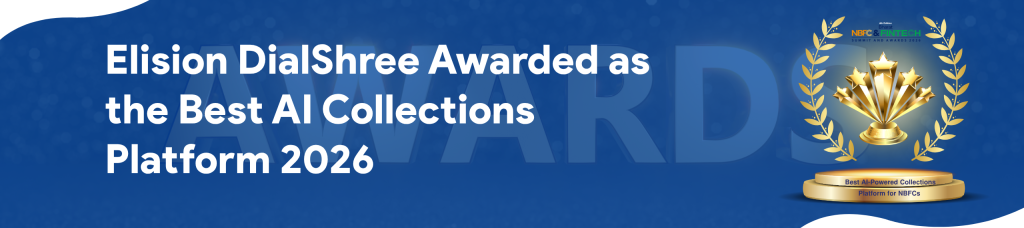
 >
>